
Denison, TX · Grayson County
Third-Party Plan Reviewer Declaration of Compliance and Liability
This declaration records a third-party plan reviewer’s compliance findings and liability acknowledgment for a residential home backup power installation project submitted to Denison.
- licensed online notary
- ~15 min average
- Notarized PDF emailed
What you’ll need
- Government-issued photo ID
- Webcam-enabled device (laptop or phone)
- This form, ready to upload as a PDF
What this form is
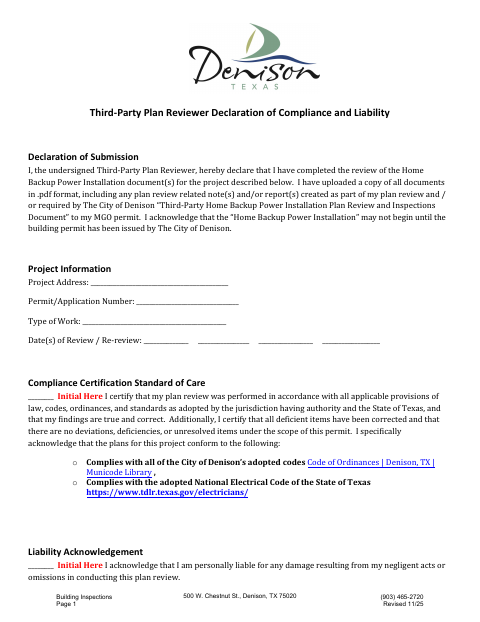
The third-party plan reviewer uses this form to certify that the home backup power installation documents were reviewed, applicable requirements were met, and deficient items were corrected. The reviewer also confirms that plan review documents and related notes or reports were uploaded to the MGO permit. Denison’s form states that installation work may not begin until the city issues the building permit.
Who needs it
A third-party plan reviewer completing review of a home backup power installation project must provide this declaration with the related permit documents.
Why it needs a notary
The form includes a state jurat stating it was subscribed and sworn to before a notary; the third-party plan reviewer signs the declaration.
How to get this notarized
- 1
Download the Form
Get the Third-Party Plan Reviewer Declaration from the City of Denison.
- 2
Fill In the Form
Enter the project address, permit number, work type, review dates, and reviewer information; complete the certifications.
- 3
Book an Online Notary
Arrange a remote notarization with a commissioned online notary.
- 4
Sign on Video
Sign and swear to the declaration during your online notary session.
- 5
Submit to the City
Upload the signed declaration and required plan review documents to the MGO permit.
Preview the form
The blank PDF straight from Denison. Look it over, then upload your filled copy to start the notary session.

You’ll need ID and a webcam.
A licensed online notary will join you on video, verify your government-issued ID, witness your signature, and apply their seal. You’ll receive the notarized PDF by email when the session ends.
Frequently asked questions
- How do I complete this plan reviewer declaration?
- Enter the project and reviewer information, complete the compliance and liability certifications, and sign the declaration before a notary. Upload the required review documents and related notes or reports to the MGO permit.
- Do I need to sign this form in front of a notary?
- Yes. The form includes a jurat stating that the declaration was subscribed and sworn to before a notary. The third-party plan reviewer signs the declaration.
- Can I use an online notary for this form?
- Texas has authorized remote online notarization since 2018, and Texas recognizes acknowledgments taken by notaries of other states. A commissioned online notary can conduct the notarization remotely; confirm with the city if unsure.