
Whitesboro, TX · Grayson County
Certification of House-Pool Protection Device Installation
This certification lets homeowners document an installed pool or spa protection device and provide the signed form for a residential pool or spa permit’s final inspection.
- licensed online notary
- ~15 min average
- Notarized PDF emailed
What you’ll need
- Government-issued photo ID
- Webcam-enabled device (laptop or phone)
- This form, ready to upload as a PDF
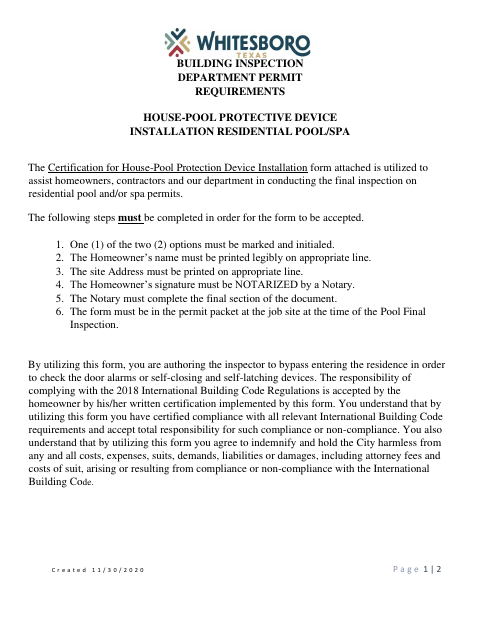
What this form is
The homeowner uses this form to certify that either door alarms or self-closing and self-latching devices protect access to the pool area. It also records the installation address and acknowledges the homeowner’s responsibility for compliance. Whitesboro requires the completed form in the permit packet at the job site when the residential pool or spa permit receives its final inspection.
Who needs it
A homeowner with a residential pool or spa permit needs this form when certifying an installed protective device for the final inspection.
Why it needs a notary
The form includes an acknowledgment: the homeowner signs before a notary, who completes the notarial section with a signature, printed name, and commission expiration.
How to get this notarized
- 1
Download The Form
Get the Certification of House-Pool Protection Device Installation form from the City of Whitesboro.
- 2
Complete The Certification
Mark and initial one device option, print the homeowner’s name, and enter the address where the protection device is installed.
- 3
Book An Online Notary
Arrange a session with a commissioned online notary and have identification ready.
- 4
Sign On Video
Sign the homeowner acknowledgment during the online notary session; the notary completes the final section.
- 5
Submit To The City
Place the completed form in the permit packet at the job site for the pool or spa final inspection.
Preview the form
The blank PDF straight from Whitesboro. Look it over, then upload your filled copy to start the notary session.

You’ll need ID and a webcam.
A licensed online notary will join you on video, verify your government-issued ID, witness your signature, and apply their seal. You’ll receive the notarized PDF by email when the session ends.
Frequently asked questions
- How do I complete this pool protection certification?
- Mark and initial one protection-device option, print the homeowner’s name and installation address, sign before a notary, and have the notary complete the final section. Include it in the permit packet at the job site for final inspection.
- Do I need to sign this form before a notary?
- Yes. The form says the homeowner’s signature must be notarized and instructs the notary to complete the final section.
- Can I use an online notary for this form?
- Texas has authorized remote online notarization since 2018, and Texas recognizes acknowledgments taken by notaries of other states. A commissioned online notary can notarize the homeowner’s acknowledgment; confirm with the city if unsure.
- What pool protection devices can I certify?
- The form offers two options: alarms on all doors leading into the pool area, or self-closing and self-latching devices on doors leading from the house into the pool area.