
Longview, TX · Gregg County
Sexually Oriented Business Application
This application packet collects business, management, and employee information for people seeking a sexually oriented business license or employee permit in Longview.
- licensed online notary
- ~15 min average
- Notarized PDF emailed
What you’ll need
- Government-issued photo ID
- Webcam-enabled device (laptop or phone)
- This form, ready to upload as a PDF
What this form is
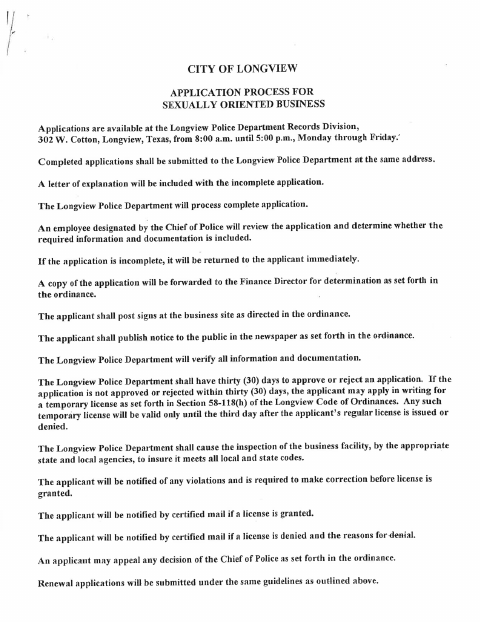
The packet explains the application process and lists information and documents required for a sexually oriented business license, renewal, or employee permit. It includes an applicant declaration affirming the information is true and that the applicant will comply with the city ordinance. The form says this declaration must be signed and notarized in the presence of Police Department personnel; applicants should check with the city about where and how to complete that step.
Who needs it
People applying for a sexually oriented business license or renewal, and employees seeking a permit to work at such a business in Longview, use this packet.
Why it needs a notary
The applicant signs the declaration before the State of Texas and Gregg County jurat, which records the notarial act and the notary’s commission expiration.
How to get this notarized
- 1
Download The Application
Get the application packet and review its instructions, checklist, and applicable sections.
- 2
Complete The Required Sections
Fill in the applicable business, management, employee, and applicant declaration information, and gather the listed supporting documents.
- 3
Confirm Notarization Requirements
The packet says the declaration must be notarized in the presence of Police Department personnel. Check with Longview before choosing an online notary.
- 4
Book An Online Notary
If the city confirms remote notarization is acceptable, book a session with a commissioned online notary.
- 5
Sign During The Video Session
Follow the notary’s instructions and sign the declaration during the online notarization session.
- 6
Submit The Application
Submit the completed application and required materials to the Longview Police Department as directed by the form.
Preview the form
The blank PDF straight from Longview. Look it over, then upload your filled copy to start the notary session.

You’ll need ID and a webcam.
A licensed online notary will join you on video, verify your government-issued ID, witness your signature, and apply their seal. You’ll receive the notarized PDF by email when the session ends.
Frequently asked questions
- How do I get the applicant declaration notarized?
- The form says the declaration must be signed and notarized in the presence of Police Department personnel. Ask the Longview Police Department whether remote online notarization is acceptable before booking.
- Do I need to notarize the entire application packet?
- The packet identifies the applicant declaration sheet as the item that must be signed and notarized. It does not state that every page or section requires notarization.
- Can I sign the declaration with an online notary?
- Texas has authorized remote online notarization since 2018 under Government Code Chapter 406, Subchapter C. The form also specifies signing in the presence of Police Department personnel, so confirm with the city if unsure.
- Who submits the completed application?
- The form directs applicants to submit completed applications to the Longview Police Department Records Division at 302 W. Cotton, Longview, Texas.
Other forms in Longview
Commercial and Industrial Solid Waste Collection and Transportation Application
Longview
Credit Access Business Certificate of Registration Application
Longview
Application For Door-To-Door Solicitor Permit
Longview
Employee Permit Application and Applicant Declaration
Longview
Application for Metal Recycling License
Longview
Application For Precious Metal And Gems Dealer License
Longview