
Baytown, TX · Harris County
Application for Designation of a City Co-Sponsored City Event for Overhead Street Banner
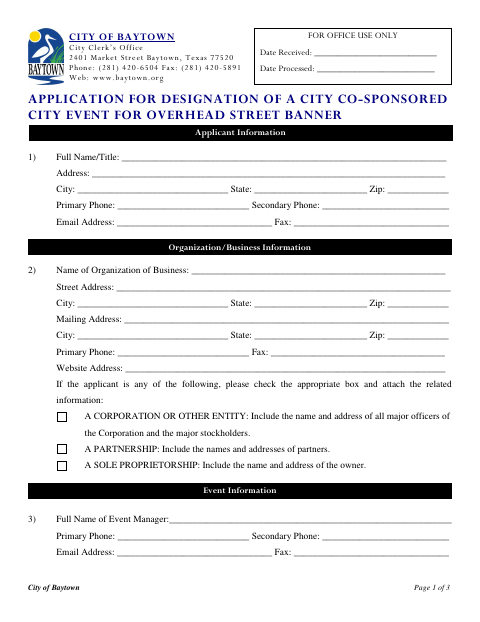
This application requests City of Baytown co-sponsorship designation for an event seeking overhead street banners and is completed by the applicant representing an organization or business.
- licensed online notary
- ~15 min average
- Notarized PDF emailed
What you’ll need
- Government-issued photo ID
- Webcam-enabled device (laptop or phone)
- This form, ready to upload as a PDF
What this form is
The application collects applicant, organization, event manager, event, and banner-location details, along with the number of banners requested. Applicants also indicate whether they agree to purchase, install, and remove authorized signs at no cost to the city, and affirm the application is true and that they will follow the stated terms. The form includes a sworn statement and notary block.
Who needs it
An applicant seeking City of Baytown co-sponsorship designation for an event with overhead street banners should complete this form and provide the requested organization and event information.
How to get this notarized
- 1
Download the Application
Get the overhead street banner co-sponsorship application from the City of Baytown.
- 2
Fill Out the Form
Enter applicant, organization, event manager, event, banner request, and agreement information.
- 3
Book an Online Notary
Schedule a remote session with a commissioned online notary for the sworn statement.
- 4
- 5
Submit to the City
Submit the completed application and any required attachments to the City Clerk’s Office.
Preview the form
The blank PDF straight from Baytown. Look it over, then upload your filled copy to start the notary session.

You’ll need ID and a webcam.
A licensed online notary will join you on video, verify your government-issued ID, witness your signature, and apply their seal. You’ll receive the notarized PDF by email when the session ends.
Frequently asked questions
- How do I complete the overhead banner application?
- Provide the applicant and organization details, event information, requested banner count and locations, and the requested agreement responses. Sign the sworn statement before a notary.
- Do I need to sign this form before a notary?
- Yes. The application includes a “Subscribed and sworn” jurat. Sign the affidavit before the notary, who completes the notarial portion.
- Can I use an online notary for this application?
- Texas has authorized remote online notarization since 2018. You can sign by video with a commissioned online notary; confirm with the city if unsure whether it will accept the notarized form.
- What event and banner details does the form request?
- It asks for the event name, dates and time, a description including component parts, the number of 3-by-35-foot banners requested, and applicable locations listed on the form.