
Elsa, TX · Hidalgo County
Certificate of Occupancy Application
Property owners or tenants use this application to request a Certificate of Occupancy for a new building, business, owner, use, tenant, or occupancy in Elsa.
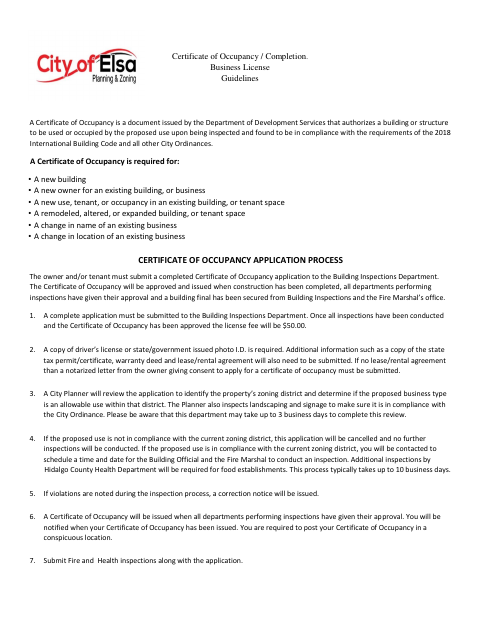
What this form is
The application requests a Certificate of Occupancy, which the city issues after required inspections and approvals. It is required for new buildings and certain changes to an existing building or business, including a new owner, use, tenant, occupancy, or business name. The application asks about the property, business activities, and building features, and requires a signature and supporting documents.
Who needs it
A property owner or tenant seeking a Certificate of Occupancy for a new building, business, or qualifying change to an existing property needs this application.
How to submit it
Submit the completed application to the Building Inspections Department. Include a photo ID and the required supporting documents; submit Fire and Health inspections along with the application.
About notarization
This application is signed without a notary; if there is no lease or rental agreement, submit a notarized letter from the owner consenting to the application.
How to submit this form
- 1
Download the Application
Download the Certificate of Occupancy application and business license guidelines.
- 2
Complete and Sign
Complete the application, check the applicable building features and business activities, and sign and date it.
- 3
Gather Supporting Documents
Include a photo ID and applicable property or business documents. If there is no lease or rental agreement, include the owner’s notarized consent letter.
- 4
Submit to the City
Submit the application to the Building Inspections Department, along with Fire and Health inspections.
Frequently asked questions
- Do I need a notary for the Certificate of Occupancy application?
- No. The application is signed without a notary. If there is no lease or rental agreement, the city requires a notarized letter from the owner consenting to the application.
- How do I submit the Certificate of Occupancy application?
- Submit the completed application to the Building Inspections Department. Include a photo ID and the required supporting documents, and submit Fire and Health inspections along with the application.
- When is a Certificate of Occupancy required?
- The guidelines list new buildings and changes such as a new owner, business, use, tenant, occupancy, business name, or location, as well as a remodeled, altered, or expanded building or tenant space.
- What supporting documents does the application require?
- The guidelines require a copy of a driver’s license or government-issued photo ID. They also identify a state tax permit or certificate, warranty deed, and lease or rental agreement as additional information to submit.