
Willis, TX · Montgomery County
Commercial Water Service Application
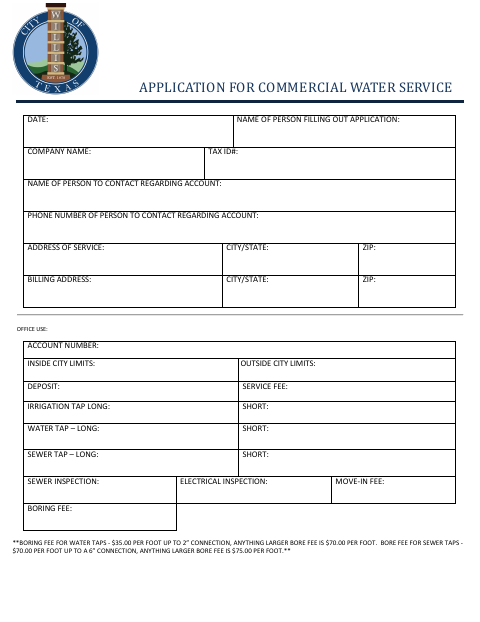
This application gathers business, service-location, billing, and contact details for people requesting commercial water service from the City of Willis.
- licensed online notary
- ~15 min average
- Notarized PDF emailed
What you’ll need
- Government-issued photo ID
- Webcam-enabled device (laptop or phone)
- This form, ready to upload as a PDF
What this form is
The five-page packet includes a commercial water service application, a service agreement, and additional utility forms for direct debit, payment-card debit, and customer information release. The service agreement addresses plumbing restrictions, inspections, backflow prevention, and the customer's responsibilities. The form states that each customer must sign the agreement before the City begins service, and a current signed copy is required to restore service after suspension or termination.
Who needs it
A business representative applying for commercial water service in Willis should complete the application and sign the service agreement before service begins.
Why it needs a notary
The service agreement carries an acknowledgment block; the customer signing the agreement must acknowledge the instrument before a notary.
How to get this notarized
- 1
Download The Packet
Get the City of Willis commercial water service application packet.
- 2
Complete The Forms
Fill in the business, service, and billing details, and review the service agreement and any other sections you need.
- 3
Book An Online Notary
Schedule a remote session with a commissioned online notary for the service agreement acknowledgment.
- 4
Sign On Video
Follow the notary's instructions and acknowledge your signature during the video session.
- 5
Submit To The City
Return the completed packet to the City of Willis for processing.
Preview the form
The blank PDF straight from Willis. Look it over, then upload your filled copy to start the notary session.

You’ll need ID and a webcam.
A licensed online notary will join you on video, verify your government-issued ID, witness your signature, and apply their seal. You’ll receive the notarized PDF by email when the session ends.
Frequently asked questions
- How do I get the service agreement notarized online?
- Complete the application and service agreement, then book a session with a commissioned online notary. Texas has authorized remote online notarization since 2018, and the agreement's acknowledgment can be completed during a video session.
- Do I need to notarize every section of this packet?
- The packet's service agreement has an acknowledgment block for the customer's signature. The text does not identify the other application sections as requiring notarization; confirm with the city if unsure.
- Who should sign the service agreement?
- The customer signs the agreement. A person signing for an employer or another entity represents that they have authority to bind that entity to the agreement.
- Can an out-of-state notary take the acknowledgment?
- Texas recognizes acknowledgments taken by notaries of other states. Make sure the completed notarization includes the acknowledgment details required by the form.