
Manor, TX · Travis County
Application for a License to Operate Gaming Machines
This application and accompanying affidavit are for individuals or entities seeking a new or renewed City of Manor license to operate amusement redemption machines at a business location.
- licensed online notary
- ~15 min average
- Notarized PDF emailed
What you’ll need
- Government-issued photo ID
- Webcam-enabled device (laptop or phone)
- This form, ready to upload as a PDF
What this form is
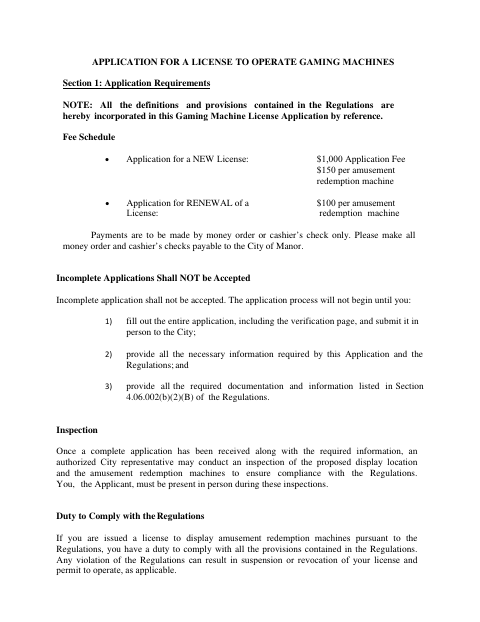
The application collects applicant, ownership, business-location, machine, and background-check information, and requires supporting materials such as a floor plan and applicable alcohol-license records. Applicants must complete the verification and submit the application in person; the included affidavit certifies that the premises will display only 100% skill-based machines. The city says incomplete applications will not be accepted and may inspect the proposed location and machines after receiving a complete application.
Who needs it
An individual or business applying for a new or renewed Manor license to display amusement redemption machines must complete the application and provide the required information and supporting documents.
How to get this notarized
- 1
Download the Form
Download the gaming machine license application and attached affidavit from the City of Manor.
- 2
Complete the Application
Fill in applicant, ownership, business, machine, and background-check details, and gather the required supporting documents.
- 3
Book an Online Notary
Schedule an online notarization for the verification and the owner's affidavit.
- 4
Sign on Video
Sign the required sworn sections in front of a commissioned online notary during your video session.
- 5
Submit to the City
Submit the completed application and required materials in person to the City, as directed by the form.
Preview the form
The blank PDF straight from Manor. Look it over, then upload your filled copy to start the notary session.

You’ll need ID and a webcam.
A licensed online notary will join you on video, verify your government-issued ID, witness your signature, and apply their seal. You’ll receive the notarized PDF by email when the session ends.
Frequently asked questions
- How do I get the gaming machine application notarized online?
- Complete the application and affidavit, then book a session with a commissioned online notary. Sign the verification and owner affidavit during the video session, and submit the completed application in person as the form instructs.
- Do I need to appear before a notary for this form?
- Yes. The application has a verification sworn before a notary, and the attached game machines affidavit has a separate sworn-and-subscribed jurat for the owner.
- Who signs the notarized sections?
- The applicant signs the verification as the owner or operator, choosing the applicable role. The owner signs the separate affidavit about the business location and the machines.
- Can I submit the application online after notarization?
- The form says to complete the application, including the verification page, and submit it in person to the City. Confirm with the city if unsure about current submission procedures.
- Can I use an online notary for this Texas form?
- Texas has authorized remote online notarization since 2018. Texas also recognizes acknowledgments taken by notaries of other states; ask the City whether it accepts your notarized document before submitting.