
Department of Licensing and Consumer Affairs, VI · St. Thomas
Construction Contractor Examination Application
This application is for people seeking to sit for the construction contractor examination; applicants submit it to the Department of Licensing and Consumer Affairs Office of Boards and Commissions.
- licensed online notary
- ~15 min average
- Notarized PDF emailed
What you’ll need
- Government-issued photo ID
- Webcam-enabled device (laptop or phone)
- This form, ready to upload as a PDF
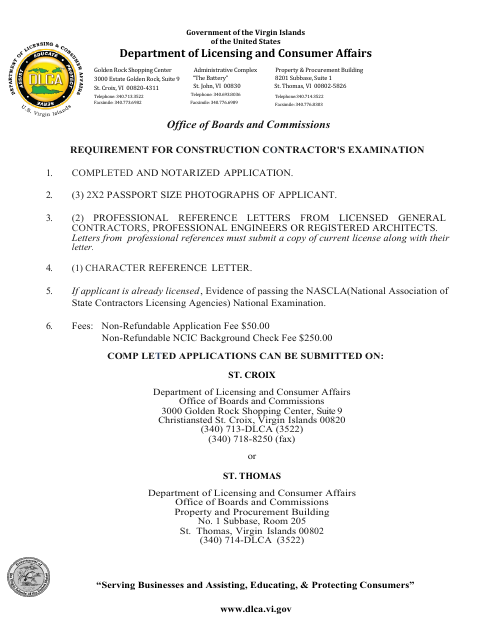
What this form is
The form collects an applicant’s personal details, references, education, training, and construction experience for the construction contractor examination. Applicants must complete and notarize the application and provide the required photographs, reference letters, and fees; the form lists submission locations in St. Thomas and St. Croix. It also includes an affidavit in which the applicant swears that the application information is true and complete.
Who needs it
Anyone applying to sit for the construction contractor examination must complete this application and submit it with the supporting materials and fees listed by the department.
Why it needs a notary
The application carries a sworn and subscribed affidavit block; the applicant signs the affidavit before a notary public, who completes the notarial certificate.
How to get this notarized
- 1
Download The Application
Get the Construction Contractor Application for Examination from the Department of Licensing and Consumer Affairs.
- 2
Complete The Application
Fill in the requested personal, reference, education, and work-history details, and gather the photographs, reference letters, and fees listed.
- 3
Book An Online Notary
Schedule a video appointment with a commissioned online notary for the application’s affidavit.
- 4
Sign On Video
Sign the affidavit during the online notary appointment so the notary can complete the sworn-and-subscribed block.
- 5
Submit To DLCA
Submit the notarized application and required supporting materials to the DLCA Office of Boards and Commissions at a location listed on the form.
Preview the form
The blank PDF straight from Department of Licensing and Consumer Affairs. Look it over, then upload your filled copy to start the notary session.

You’ll need ID and a webcam.
A licensed online notary will join you on video, verify your government-issued ID, witness your signature, and apply their seal. You’ll receive the notarized PDF by email when the session ends.
Frequently asked questions
- How do I get the construction exam application notarized?
- Complete the application, then book a commissioned online notary. Sign the affidavit during your video appointment so the notary can complete the sworn-and-subscribed block.
- Do I need to sign the affidavit in front of a notary?
- Yes. The form requires a completed and notarized application, and its affidavit says “Sworn and Subscribed before me.” Sign that section before the notary.
- Can I use an online notary for this application?
- A commissioned online notary may be an option, but acceptance of remote notarization for this territorial form is not confirmed. Confirm with the receiving agency or the Recorder of Deeds if unsure.
- Where do I submit the completed application?
- The form lists submission to the Department of Licensing and Consumer Affairs Office of Boards and Commissions in St. Thomas or St. Croix. Include the supporting materials and fees listed on the form.