
Woods Cross, UT · Davis County
General Plan Amendment Application
Woods Cross property owners or their authorized agents use this application to request a General Plan map or text amendment and provide supporting documents for city review.
- licensed online notary
- ~15 min average
- Notarized PDF emailed
What you’ll need
- Government-issued photo ID
- Webcam-enabled device (laptop or phone)
- This form, ready to upload as a PDF
What this form is
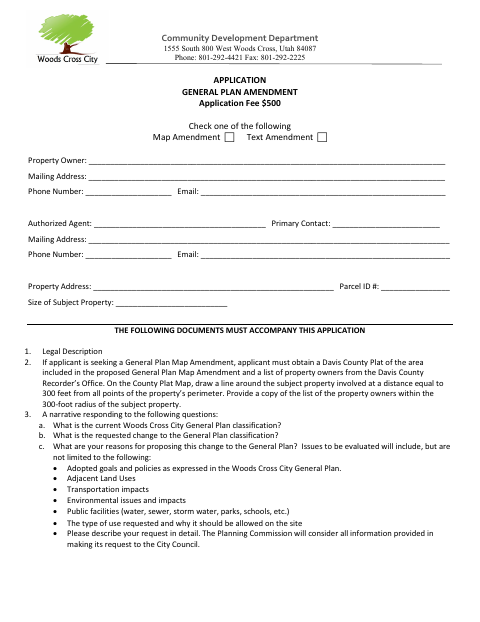
This application lets a property owner request a change to the Woods Cross General Plan classification for a property, either by map amendment or text amendment. Submit it with a legal description and a narrative addressing the requested change and its reasons. Map amendment requests also require a Davis County plat and a list of property owners within 300 feet. The city reviews complete applications in the order received after payment of the application fee.
Who needs it
Property owners requesting a Woods Cross General Plan map or text amendment, or agents authorized by those owners, must submit this application and the required supporting documents.
Why it needs a notary
The owner signs the Property Owner’s Affidavit before a notary for a jurat, and signs the Agent Authorization before a notary for an acknowledgment.
How to get this notarized
- 1
Download The Application
Download the Woods Cross General Plan Amendment Application.
- 2
Fill Out The Form
Select map or text amendment, complete the property and contact fields, and prepare the required legal description, narrative, and any map-amendment attachments.
- 3
Book An Online Notary
Schedule a commissioned online notary for the owner affidavit and agent authorization. Leave their notary blocks unsigned until your appointment.
- 4
Sign On Video
Show your identification and sign the required owner sections during the notary’s live video session.
- 5
Submit To The City
Email the completed application and required documents to [email protected]. Pay the city’s invoiced application fee before review.
Preview the form
The blank PDF straight from Woods Cross. Look it over, then upload your filled copy to start the notary session.

You’ll need ID and a webcam.
A licensed online notary will join you on video, verify your government-issued ID, witness your signature, and apply their seal. You’ll receive the notarized PDF by email when the session ends.
Frequently asked questions
- How do I get the owner affidavit and agent authorization notarized online?
- Complete the form but leave the notary sections unsigned. Book with a commissioned online notary, then sign the affidavit and authorization during your video appointment.
- Do I need to notarize both owner signature sections?
- The form provides a notary block for the Property Owner’s Affidavit and another for the Agent Authorization. Owners signing each section should do so before the notary.
- Can I use a commissioned online notary for this form?
- Utah authorizes remote online notarization by a commissioned online notary with the required remote notary certification. Confirm with the city or county recorder if unsure.
- What documents must accompany the application?
- Include a legal description and a narrative answering the form’s questions. For a map amendment, also include a Davis County plat marked with the 300-foot radius and the property-owner list for that area.
General Plan Amendment Application in other Utah cities
Each city publishes its own version of this form. Pick the city where you’re filing.