
Fountain Green, UT · Sanpete County
Property Owner Affidavit
This affidavit lets property owners affirm that information in an attached application and its plans or exhibits is true, acknowledge receipt of city instructions and regulations, and submit it with their application.
- licensed online notary
- ~15 min average
- Notarized PDF emailed
What you’ll need
- Government-issued photo ID
- Webcam-enabled device (laptop or phone)
- This form, ready to upload as a PDF
What this form is
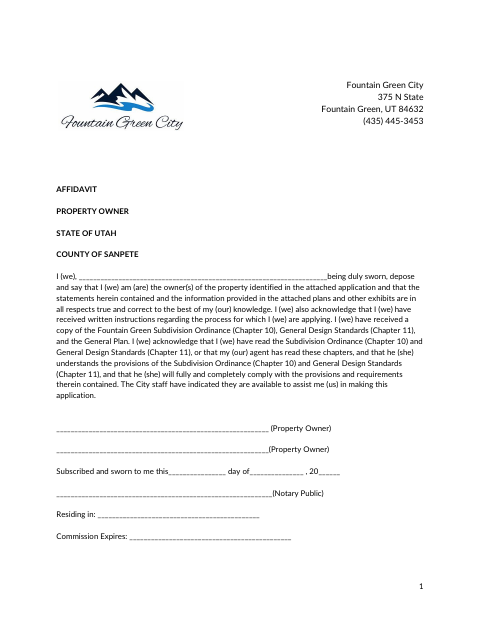
Fountain Green’s Property Owner Affidavit is for owners of property identified in an attached application. It affirms that the application information, plans, and exhibits are true to the owner’s knowledge, and acknowledges receipt of written instructions and specified city materials. The owner also confirms that they or their agent have read the listed subdivision and design standards and will comply with their requirements.
Who needs it
Property owners named in an attached application who must affirm its information and acknowledge the city materials and requirements listed on the form need this affidavit.
How to get this notarized
- 1
Download the Affidavit
Get the Property Owner Affidavit from Fountain Green and review it alongside the attached application.
- 2
Complete the Form
Enter the property owner information and review the statements about the application, plans, exhibits, and city materials.
- 3
Book an Online Notary
Arrange a remote appointment with a commissioned online notary before signing.
- 4
Sign on Video
Each property owner signs and swears to the affidavit during the notary video session.
- 5
Submit to the City
Include the notarized affidavit with the attached application and submit it to Fountain Green as directed.
Preview the form
The blank PDF straight from Fountain Green. Look it over, then upload your filled copy to start the notary session.

You’ll need ID and a webcam.
A licensed online notary will join you on video, verify your government-issued ID, witness your signature, and apply their seal. You’ll receive the notarized PDF by email when the session ends.
Frequently asked questions
- How do I notarize the property owner affidavit online?
- Complete the affidavit, then meet with a commissioned online notary by video. Sign and swear to the statements during the notarization, and submit the completed affidavit with the attached application.
- Do I need to sign the affidavit in front of a notary?
- Yes. The form includes a subscribed-and-sworn jurat, so each property owner signing it must swear to the statements before the notary.
- Can I use a commissioned online notary for this affidavit?
- Utah authorizes remote online notarization by a commissioned online notary. Check with Fountain Green about its submission process and any requirements for the completed affidavit.
- Where should I ask about submitting the completed affidavit?
- Submit it with the attached application as directed by Fountain Green. If the completed affidavit must be recorded, confirm with the city or county recorder if unsure.
Other forms in Fountain Green
Property Owner Affidavit in other Utah cities
Each city publishes its own version of this form. Pick the city where you’re filing.