
Winooski, VT · Chittenden County
Sworn Statement Form
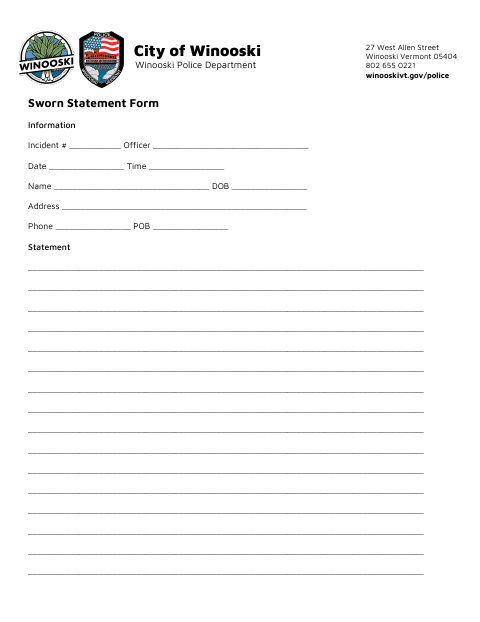
The Winooski Police Department Sworn Statement Form collects incident details and a written account from a person making a statement to the department.
- licensed online notary
- ~15 min average
- Notarized PDF emailed
What you’ll need
- Government-issued photo ID
- Webcam-enabled device (laptop or phone)
- This form, ready to upload as a PDF
What this form is
Use this form to provide incident information, identifying and contact details, and a written statement to the Winooski Police Department. The signer must affirm that the statement is true and accurate to the best of their knowledge, then sign and date it; the form also has a notary public signature and date line. Contact the department for instructions on when to use the form and how to submit it.
Who needs it
A person asked to provide a sworn or affirmed written statement to the Winooski Police Department can use this form to record their account and incident details.
Why it needs a notary
The form includes a waiver stating the preceding account is true and accurate, with a Notary Public signature and date line; the person making the statement signs before the notary.
How to get this notarized
- 1
Download The Form
Get the Sworn Statement Form from the City of Winooski website.
- 2
Fill In The Form
Enter incident and personal details, then write your statement.
- 3
Book An Online Notary
Arrange an online notary appointment and check that remote notarization is accepted for your submission.
- 4
Sign On Video
Sign and date the statement while appearing before the notary by video.
- 5
Submit To The City
Follow the Winooski Police Department's instructions to submit the completed form.
Preview the form
The blank PDF straight from Winooski. Look it over, then upload your filled copy to start the notary session.

You’ll need ID and a webcam.
A licensed online notary will join you on video, verify your government-issued ID, witness your signature, and apply their seal. You’ll receive the notarized PDF by email when the session ends.
Frequently asked questions
- How do I complete the Winooski Police Department Sworn Statement Form?
- Fill in the incident and personal information, write your statement, then sign and date it before a notary. Contact the Winooski Police Department for submission instructions.
- Do I need to sign the statement in front of a notary?
- The form includes a Notary Public signature and date line. Sign the statement before the notary and ask the Winooski Police Department if you have questions about its requirements.
- Can I use an online notary for this form?
- Vermont notaries may notarize remotely only if they hold a Special Endorsement from the Secretary of State's Office of Professional Regulation. Vermont law also recognizes qualifying notarial acts by a notary public of another state. Confirm acceptance with the department.
- Where do I submit the completed form?
- The form is from the Winooski Police Department. Contact the department for its instructions on submitting your completed statement.
Sworn Statement Form in other Chittenden County cities
Each city publishes its own version of this form. Pick the city where you’re filing.