
Moretown, VT · Washington County
Appeal of Administrative Officer Decision and Request for Stay
This two-page form lets a person appeal a Town of Moretown Administrative Officer decision and request a stay of enforcement by submitting grounds and supporting details to the town.
- licensed online notary
- ~15 min average
- Notarized PDF emailed
What you’ll need
- Government-issued photo ID
- Webcam-enabled device (laptop or phone)
- This form, ready to upload as a PDF
What this form is
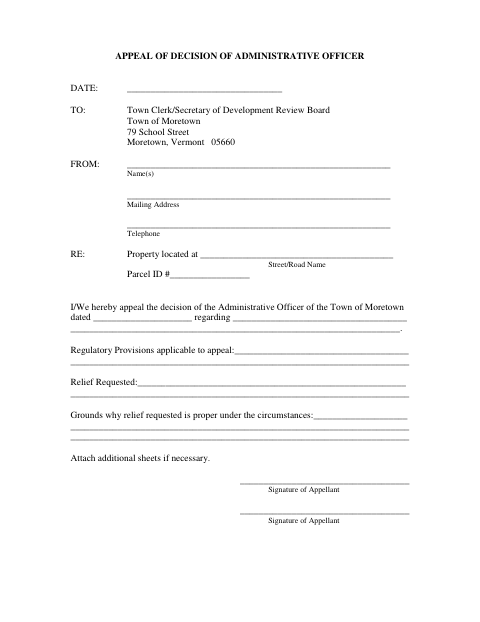
Use the appeal section to identify the property and decision, explain the relief sought, and state why that relief is proper. The form also includes a request to pause enforcement while the appeal is considered, asking the appellant to describe the grounds for the stay and any irremediable damage that would result if it is denied. It is addressed to the Town Clerk/Secretary of the Development Review Board.
Who needs it
A person appealing an Administrative Officer decision of the Town of Moretown can use this form to explain the appeal and request a stay of enforcement.
Why it needs a notary
The stay request has a sworn-and-affirmed jurat stating “Sworn to before me”; the appellant signs before the notary, who completes the jurat.
How to get this notarized
- 1
Download the Form
Get the two-page appeal and stay request form from the Town of Moretown.
- 2
Fill In the Details
Provide appellant and property information, describe the decision and requested relief, and explain the appeal and stay grounds.
- 3
Book an Online Notary
Arrange an online notarization for the stay request’s sworn section.
- 4
Sign on Video
Follow the notary’s instructions and sign the stay request during the online session.
- 5
Submit to the Town
Send the completed form to the Town Clerk/Secretary of the Development Review Board.
Preview the form
The blank PDF straight from Moretown. Look it over, then upload your filled copy to start the notary session.

You’ll need ID and a webcam.
A licensed online notary will join you on video, verify your government-issued ID, witness your signature, and apply their seal. You’ll receive the notarized PDF by email when the session ends.
Frequently asked questions
- How do I submit this appeal and stay request?
- Complete the appeal and stay sections, sign the stay request before a notary, and submit the form to the Town Clerk/Secretary of the Development Review Board. Confirm submission details with the town if unsure.
- Do I need to sign the stay request before a notary?
- Yes. The stay request says it is sworn and affirmed under penalty of perjury and includes a “Sworn to before me” jurat. Sign that section before the notary.
- Can I complete the jurat with an online notary?
- Vermont law, 26 V.S.A. § 5379, allows remote notarization by a notary commissioned in Vermont who separately holds a Special Endorsement from the Secretary of State’s Office of Professional Regulation. A commissioned online notary may also be recognized under 26 V.S.A. § 5374; confirm with the town or city clerk if unsure.
- What information does the form ask me to provide?
- It asks for appellant contact details, the property location and parcel ID, the decision being appealed, the requested relief, and grounds for the appeal. The stay request also asks about grounds for the stay and potential irremediable damage.