
Danville, VA · City of Danville
Sign Permit Application
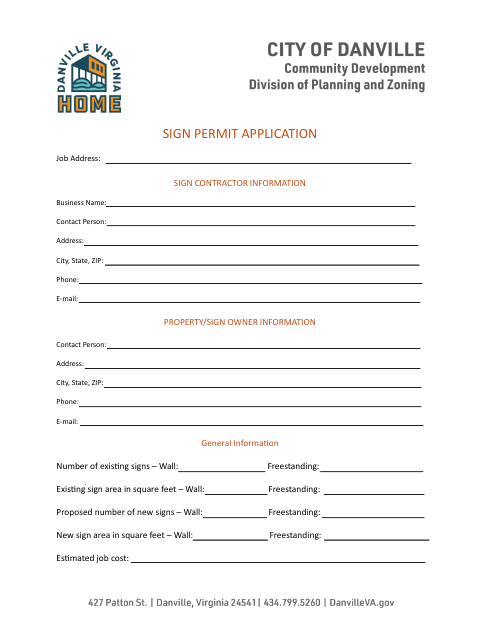
Sign contractors or property owners use this application to provide job, contact, and proposed sign details for a sign permit.
What this form is
This application provides the Planning Division with job, sign contractor, and property or sign owner information, along with details about existing and proposed signs. The city says it will verify the permit fee after receiving and reviewing the completed application, and applicants must not begin work until the permit is issued. The form also advises keeping contractor registration and the local business license up to date.
Who needs it
Sign contractors or property and sign owners seeking a permit for proposed signs can use the application to provide job and sign information.
How to submit it
Submit it to the city department named on the form; check the city website for current contact details.
About notarization
This application has no notary block; no notarized attachment or related step is mentioned, so the signer just signs and dates it.
How to submit this form
- 1
Download The Application
Download the Sign Permit Application PDF.
- 2
Complete The Application
Provide the job address, contractor and owner information, and details for existing and proposed signs.
- 3
Check For Supporting Materials
The application does not list any required attachments; check with the Planning Division if you have questions.
- 4
Submit To The City
Submit the completed application to the city department named on the form; check the city website for current contact details.
Frequently asked questions
- What information does the Sign Permit Application request?
- It asks for the job address, contractor and owner contact information, existing and proposed sign counts and areas, estimated job cost, and proposed sign details such as type, location, dimensions, and message.
- Do I need a notary for this sign permit application?
- No. This application has no notary block, and it mentions no notarized attachment or related step; the signer just signs and dates it.
- How do I submit the Sign Permit Application?
- The application does not provide a submission address, email, or portal. Submit it to the city department named on the form; check the city website for current contact details.
- When can I begin sign work?
- The application says not to begin work until the permit is issued. It also says the Planning Division will verify the permit fee after receiving and reviewing the completed application.
Need something notarized?
This Sign Permit Application doesn’t need a notary — but if you have another Danville form that does, a commissioned online notary can help.