
Oak Harbor, WA · Island County
Claim for Damages
The Claim for Damages form lets a claimant describe an alleged loss or injury and submit supporting information to the City of Oak Harbor for review.
- licensed online notary
- ~15 min average
- Notarized PDF emailed
What you’ll need
- Government-issued photo ID
- Webcam-enabled device (laptop or phone)
- This form, ready to upload as a PDF
What this form is
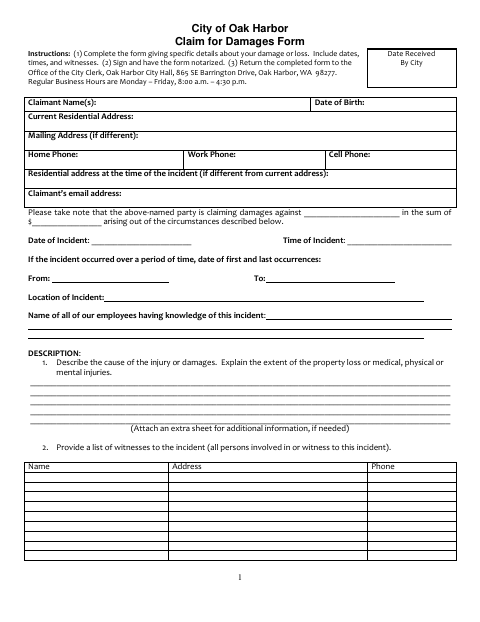
Use this form to report a claim for damages against the City of Oak Harbor. It asks for incident details, the amount claimed, information about witnesses and other people with relevant knowledge, and supporting records; automobile claims require additional vehicle and driver details. The instructions say to complete the form with specific details, sign it before a notary, and return it to the Office of the City Clerk at Oak Harbor City Hall.
Who needs it
A person seeking damages from the City of Oak Harbor should complete this form, or have it signed on their behalf by an authorized representative listed on the form.
Why it needs a notary
The form has a notarial acknowledgment block; the claimant or authorized signer must personally appear before the notary and acknowledge signing the claim.
How to get this notarized
- 1
Download the Form
Get the City of Oak Harbor Claim for Damages form.
- 2
Complete the Claim
Enter incident details, witnesses, relevant contacts, and supporting information. Include the additional vehicle details if filing an automobile claim.
- 3
Book an Online Notary
Schedule a session with a commissioned online notary for the form’s acknowledgment.
- 4
Sign on Video
Follow the notary’s instructions and acknowledge your signature during the video appointment.
- 5
Submit to the City
Return the completed, notarized form to the Office of the City Clerk at Oak Harbor City Hall, as the instructions direct.
Preview the form
The blank PDF straight from Oak Harbor. Look it over, then upload your filled copy to start the notary session.

You’ll need ID and a webcam.
A licensed online notary will join you on video, verify your government-issued ID, witness your signature, and apply their seal. You’ll receive the notarized PDF by email when the session ends.
Frequently asked questions
- How do I get the Claim for Damages form notarized online?
- Complete the form, then book with a commissioned online notary. Sign and acknowledge the document during your video session, and return the completed claim to the Office of the City Clerk as instructed.
- Do I need to sign the claim in front of a notary?
- Yes. The form says it must be signed and notarized and includes a notarial acknowledgment for the signer to acknowledge the signature.
- Can someone sign the claim on the claimant’s behalf?
- The form says it may be signed by the claimant, a person with written power of attorney, a Washington-admitted attorney acting for the claimant, or a court-approved guardian or guardian ad litem.
- Can I use remote online notarization for this form?
- Washington authorizes remote online notarization by its notaries under RCW 42.45.280. The form itself does not address online notarization; confirm with the city or town if unsure.
Claim for Damages in other Washington cities
Each city publishes its own version of this form. Pick the city where you’re filing.