
Bellevue, WA · King County
Bill-To Form
Bellevue applicants use this form to provide billing contact details for project bills or, if eligible, request billing for application and issuance fees.
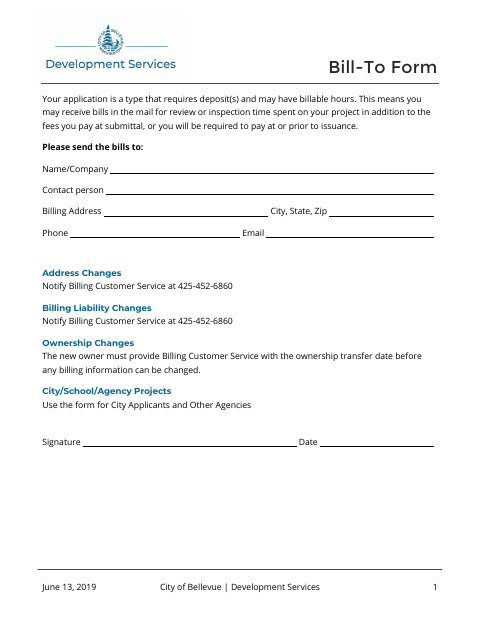
What this form is
The form provides a billing name, contact person, address, phone number, and email for project bills related to review or inspection time. A separate section is for Bellevue departments and listed outside agencies requesting to be billed for submittal and issuance fees; other applicants must pay application fees when applying. It also gives instructions for billing liability and ownership changes.
Who needs it
Applicants who need project bills sent to a specified contact, and eligible city departments or listed agencies requesting billing for fees, use this form.
How to submit it
Submit it to the city department named on the form; check the city website for current contact details.
About notarization
This document is signed and dated without a notary; it lists no sworn or notarized attachment, so the signer just signs and dates it.
How to submit this form
- 1
Download The Form
Download the Bellevue Bill-To Form PDF.
- 2
Complete The Billing Details
Enter the billing contact and address information requested on the form.
- 3
Complete The Applicable Section
If requesting billing for fees, check the applicable department or listed agency and provide the project information requested.
- 4
Sign And Submit
Sign and date the form, then submit it to the city department named on the form.
Frequently asked questions
- Do I need a notary for the Bill-To Form?
- No. The form has a signature and date line but no notary block or notarized attachment; the signer just signs and dates it.
- Who can request billing for application and issuance fees?
- The form says this option is only for a Bellevue department or an outside agency listed on the form. Other applicants must pay application fees when applying.
- What billing information does the form request?
- It asks for a billing name or company, contact person, billing address, city, state, ZIP code, phone number, and email address.
- How do I submit the Bill-To Form?
- The form does not give a submission address or portal. Submit it to the city department named on the form; check the city website for current contact details.
Need something notarized?
This Bill-To Form doesn’t need a notary — but if you have another Bellevue form that does, a commissioned online notary can help.