
Bellevue, WA · King County
Revisions and Additions Submittal Instructions and Form
Bellevue permit applicants use this form to identify revisions or additions to submitted plans and documents and list the materials they are submitting.
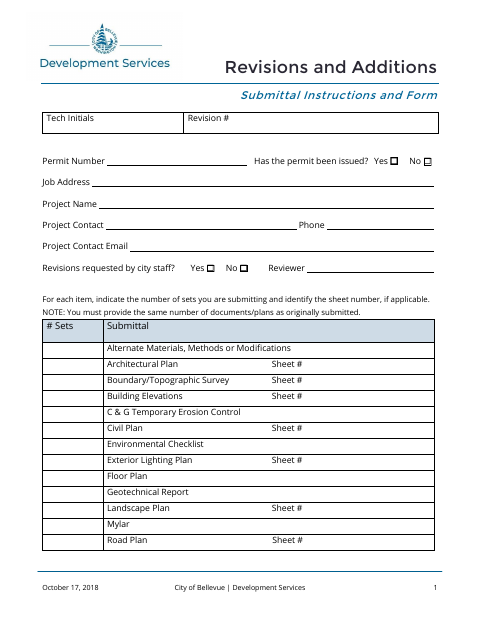
What this form is
Use this form to submit revisions or additions for a Bellevue permit, including revisions requested by city staff. It asks for permit and project details, the number and type of documents or plans submitted, and a description of the changes. The instructions say to mark revised information consistently and submit the same number of documents or plans as originally submitted.
Who needs it
Permit applicants submitting revisions or additions to plans or documents for a Bellevue permit should complete this form.
How to submit it
Submit revisions to the permit processing department, not to the reviewer. The form says an email will notify you when revisions are approved and whether fees apply.
About notarization
This form does not require notarization; it lists no sworn or notarized attachments, and its instructions do not specify a signature or date step.
How to submit this form
- 1
Download The Form
Download the Bellevue Revisions and Additions Submittal Instructions and Form.
- 2
Complete The Form
Enter permit and project details, list the submitted materials and copy counts, and describe the changes.
- 3
Mark Revised Information
Identify revised or added information by circling, noting, or otherwise marking it consistently.
- 4
Submit To The City
Submit the same number of plans and documents as originally submitted to the permit processing department, not the reviewer.
Frequently asked questions
- What is the Bellevue revisions and additions form for?
- It identifies revisions or additions submitted for a permit and lists the documents, plans, sheet numbers, and copy counts being provided.
- Do I need a notary for the Bellevue revisions and additions form?
- No. The form does not require notarization and lists no sworn or notarized attachments; its instructions do not specify a signature or date step.
- How do I submit Bellevue permit revisions?
- Submit revisions to the permit processing department, not to the reviewer. Provide the same number of plans and documents as originally submitted.
Need something notarized?
This Revisions and Additions Submittal Instructions and Form doesn’t need a notary — but if you have another Bellevue form that does, a commissioned online notary can help.