
Duvall, WA · King County
Assumption of Risk Statement for Building Permit Application
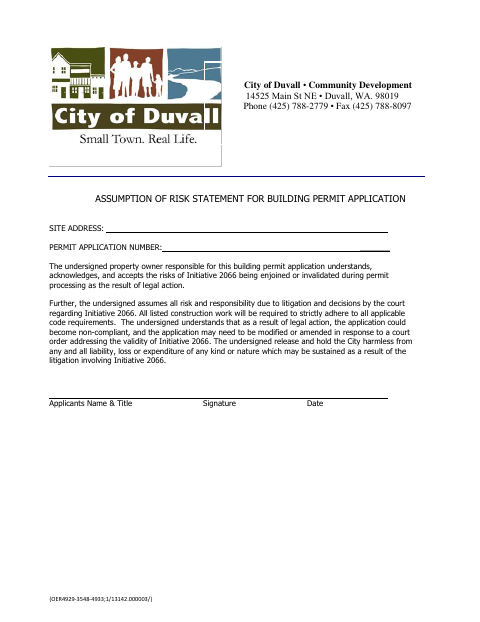
This statement records a property owner’s acceptance of risks related to Initiative 2066 litigation during processing of a building permit application.
What this form is
The statement addresses the risk that legal action involving Initiative 2066 could affect a building permit application during processing. The signer accepts responsibility for litigation-related risks, acknowledges that the application may need changes after a court order, and agrees to release the City from related liability. It asks for the site address, permit application number, applicant’s name and title, signature, and date.
Who needs it
The property owner responsible for a building permit application signs this statement to acknowledge the risks described in the document.
How to submit it
Submit it to the city department named on the form; check the city website for current contact details.
About notarization
This statement is signed and dated without a notary; it lists no attachment or related sworn or notarized step.
How to submit this form
- 1
Download The Statement
Download the Assumption of Risk Statement for the building permit application.
- 2
Complete The Requested Details
Enter the site address, permit application number, and applicant’s name and title.
- 3
Sign And Date
The responsible property owner signs and dates the statement.
- 4
Submit To The City
Submit the statement to the city department named on the form; check the city website for current contact details.
Frequently asked questions
- What does the Assumption of Risk Statement address?
- It addresses risks from legal action involving Initiative 2066 during building permit processing, including the possibility that an application may need to be modified or amended after a court order.
- Who signs this statement?
- The document identifies the signer as the property owner responsible for the building permit application. It asks for the applicant’s name and title, signature, and date.
- Do I need a notary for the Assumption of Risk Statement?
- No. The statement has signature and date fields but no notary block; it lists no attachment or related sworn or notarized step.
- How do I submit the statement?
- Submit it to the city department named on the form; check the city website for current contact details.
Need something notarized?
This Assumption of Risk Statement for Building Permit Application doesn’t need a notary — but if you have another Duvall form that does, a commissioned online notary can help.