
Sammamish, WA · King County
Site Development Permit Application
Property owners or their representatives use this application to request a Sammamish site development permit for subdivisions, short subdivisions, and non-residential projects.
What this form is
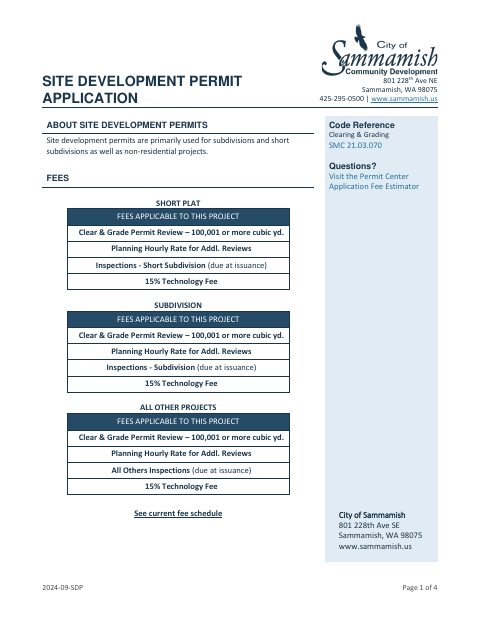
Sammamish uses site development permits primarily for subdivisions, short subdivisions, and non-residential projects. The application requests owner, agent, engineer or surveyor, erosion-control lead, property, and project details, and includes a checklist of supporting documents, some required only when applicable. The applicant certifies the information is true and complete and provides signatures and dates.
Who needs it
Property owners or their authorized representatives seeking a Sammamish site development permit for a covered project should complete this application.
How to submit it
Create an account on MyBuildingPermit.com, select “Apply For Permit” and Sammamish, then choose the application, project, activity, and scope options listed on the form. Save the completed form and upload it with the required documents in the File Upload section.
About notarization
This application is signed and dated without a notary; the form requires the owner and, if applicable, applicant or representative signatures.
How to submit this form
- 1
Download The Application
Download the Site Development Permit Application PDF.
- 2
Complete The Form
Fill in owner, agent, project, property, and other applicable information, then sign and date the application.
- 3
Gather Required Documents
Use the checklist to prepare the required supporting documents, including items marked applicable when relevant.
- 4
Submit Online
Follow the MyBuildingPermit.com instructions on the form and upload the saved application with the required documents.
Frequently asked questions
- Do I need a notary for the Site Development Permit Application?
- No. The application has signature and date lines for the owner and, if applicable, the applicant or representative; it does not require notarization.
- How do I submit the Site Development Permit Application?
- Use MyBuildingPermit.com: select Apply For Permit and Sammamish, choose the application options specified on the form, then upload the saved application and required documents.
- What information does the application request?
- It asks for owner and agent contacts, engineer or surveyor and CESCL information, property details, project scope and cost estimate, and signatures.
- What supporting documents may be required?
- The checklist includes items such as a legal description, plan set, storm drainage analysis, and SWPPP, plus documents marked applicable only when relevant to the project.
Need something notarized?
This Site Development Permit Application doesn’t need a notary — but if you have another Sammamish form that does, a commissioned online notary can help.