
Milton, WA · Pierce County
Clear, Fill and Grade Permit Application
Property owners or their representatives use this application to request a Milton permit for clearing, filling, or grading work on a property.
What this form is
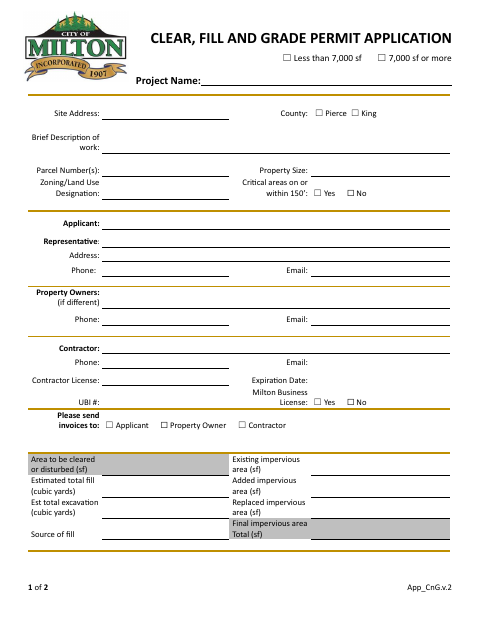
This application requests a permit for clearing, filling, or grading work and collects project, site, applicant, owner, and contractor details, along with estimated disturbance, fill, excavation, and impervious area. The submittal checklist calls for an application, TESC plan, and site plan; a SEPA checklist is listed when fill or excavation exceeds 100 cubic yards. The form also includes site plan requirements and applicant and owner signature lines.
Who needs it
Property owners, applicants, representatives, or contractors submitting a request for a Milton clear, fill, or grade permit need this application.
How to submit it
Email the application to [email protected]. Provide one paper copy and a digital submission; after receiving the application, the city will send a link and upload instructions.
About notarization
This application is signed and dated without a notary; its checklist lists a TESC plan, site plan, and, when applicable, a SEPA checklist.
How to submit this form
- 1
Download The Application
Download the Clear, Fill and Grade Permit Application PDF.
- 2
Complete The Application
Provide the project, property, applicant, owner, contractor, and site work information, then sign and date the application.
- 3
Gather The Listed Submittals
Prepare a TESC plan and site plan; include a SEPA checklist if fill or excavation exceeds 100 cubic yards.
- 4
Submit To Milton
Email the application to [email protected] and provide one paper copy and a digital submission.
Frequently asked questions
- What does the Clear, Fill and Grade Permit Application request?
- It requests a permit for clearing, filling, or grading work and asks for project, property, applicant, contractor, and site work details.
- What attachments are listed on the application checklist?
- The checklist lists an application, TESC plan, and site plan. It also lists a SEPA checklist when fill or excavation exceeds 100 cubic yards.
- How do I submit the Clear, Fill and Grade Permit Application?
- Email the application to [email protected]. Provide one paper copy and a digital submission; the city will send a link and upload instructions after receiving it.
- Do I need a notary for the Clear, Fill and Grade Permit Application?
- No. The application has signature and date lines but no notary block; sign and date it, and provide the listed checklist materials when applicable.
Need something notarized?
This Clear, Fill and Grade Permit Application doesn’t need a notary — but if you have another Milton form that does, a commissioned online notary can help.