
Puyallup, WA · Pierce County
Temporary Use Permit Application
Property owners or applicants use this application to request city approval for a temporary use, such as a contractor’s office or model home.
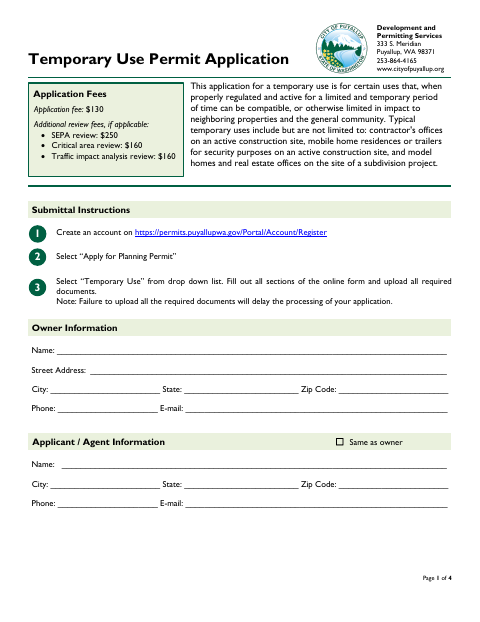
What this form is
This application requests approval for a temporary use that may be compatible with nearby properties when regulated and limited in duration. Applicants provide owner and agent contact details, site and parcel information, the proposed use and dates, and information about critical areas. The submission checklist calls for a signed application and site plan, plus a critical area report if applicable.
Who needs it
Property owners or their authorized agents seeking approval for a temporary use in Puyallup need to complete and submit this application.
How to submit it
Create an account on the city’s permit portal, choose “Apply for Planning Permit,” select “Temporary Use,” complete the online form, and upload all required documents. The application lists a $130 fee and possible additional review fees.
About notarization
This application does not require a notary; the owner and applicant sign and date it, and no notarized or sworn attachment is identified.
How to submit this form
- 1
Download The Application
Download the Temporary Use Permit Application PDF.
- 2
Complete The Online Form
Create a permit-portal account, select “Apply for Planning Permit” and “Temporary Use,” then complete the form.
- 3
Gather Required Documents
Prepare the signed application and site plan; include a critical area report if applicable.
- 4
Submit To The City
Upload the completed form and required documents through the city permit portal.
Frequently asked questions
- Do I need a notary for the Temporary Use Permit Application?
- No. The application calls for owner and applicant signatures and dates, but it does not identify a notary requirement or any notarized attachment.
- How do I submit the Temporary Use Permit Application?
- Create an account on the city permit portal, choose “Apply for Planning Permit,” select “Temporary Use,” complete the online form, and upload all required documents.
- What documents must accompany the application?
- The checklist calls for a completed and signed application and a site plan with specified details. A critical area report is listed if applicable.
- What information does the application request?
- It asks for owner and applicant details, parcel and property information, the nature and dates of the proposed use, and information about nearby critical areas.
Need something notarized?
This Temporary Use Permit Application doesn’t need a notary — but if you have another Puyallup form that does, a commissioned online notary can help.