
Oregon, WI · Dane County
Preliminary Development Agreement
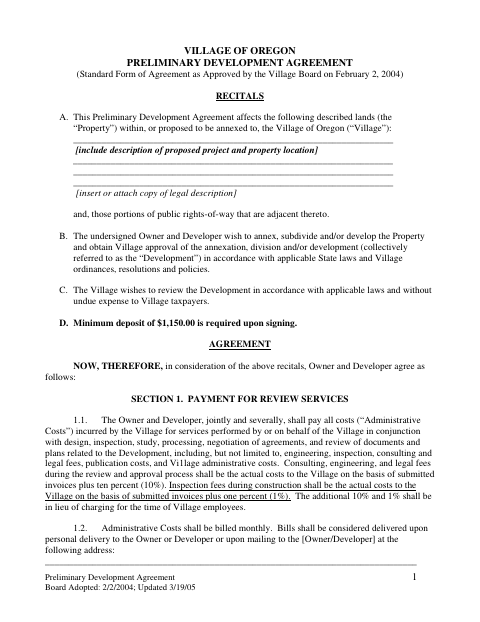
This agreement sets terms for Village review of a proposed development, and the property owner and developer submit it when seeking approval for annexation, division, or development.
- licensed online notary
- ~15 min average
- Notarized PDF emailed
What you’ll need
- Government-issued photo ID
- Webcam-enabled device (laptop or phone)
- This form, ready to upload as a PDF
What this form is
The agreement identifies the property and proposed development, allocates Village review and inspection costs, and requires a deposit to guarantee payment. The owner and developer sign it when seeking Village review and approval for annexation, subdivision, or development. It also sets out how the agreement ends and which payment obligations continue after termination.
Who needs it
The property owner and developer seeking Village review or approval for a proposed annexation, subdivision, or development complete and sign this agreement.
Why it needs a notary
The form has separate acknowledgment blocks for the Owner and Developer; each named signer must appear before the notary and acknowledge signing the agreement.
How to get this notarized
- 1
Download the Agreement
Get the Preliminary Development Agreement from the Village of Oregon and review the agreement and signature sections.
- 2
Complete the Form
Provide the project and property description, owner and developer details, and required deposit information.
- 3
Book an Online Notary
Schedule a session with a commissioned online notary for the Owner and Developer acknowledgment signatures.
- 4
Sign on Video
Each signer appears on video, verifies identity, and acknowledges signing the agreement before the notary.
- 5
Submit to the Village
Send the signed agreement to the Village of Oregon and follow its development review submission instructions.
Preview the form
The blank PDF straight from Oregon. Look it over, then upload your filled copy to start the notary session.

You’ll need ID and a webcam.
A licensed online notary will join you on video, verify your government-issued ID, witness your signature, and apply their seal. You’ll receive the notarized PDF by email when the session ends.
Frequently asked questions
- How do I get the agreement notarized online?
- Complete the agreement, then book a session with a commissioned online notary. Each signer must appear on video, verify identity, and acknowledge signing before submitting the signed form to the Village.
- Do I need both the Owner and Developer notarized?
- The form provides a separate acknowledgment block for the Owner and for the Developer. Each person who signs in the corresponding role should acknowledge their signature before a notary.
- Can this agreement be notarized remotely in Wisconsin?
- Wis. Stat. §140.145 authorizes remote online notarization by Wisconsin notaries. Ask the Village whether it accepts a remotely notarized version for this agreement; confirm with the city or village if unsure.
- Where do I submit the signed agreement?
- Submit the completed agreement to the Village of Oregon as part of the proposed development review. Contact the Village to confirm its submission instructions and whether it requires any supporting property description.