
South Milwaukee, WI · Milwaukee County
Contractor Prequalification Statement
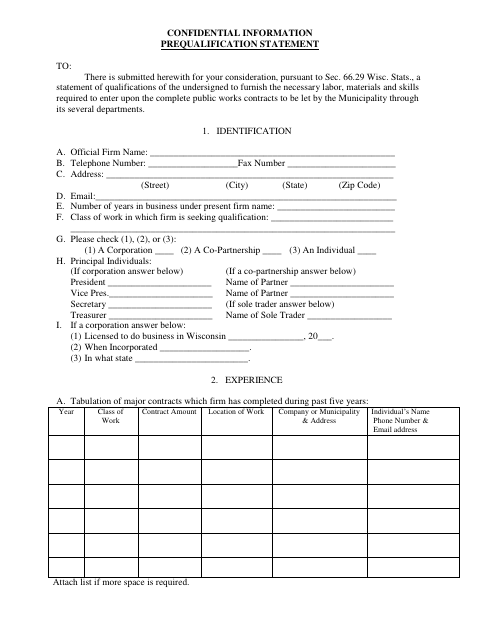
This statement lets a firm provide its qualifications, experience, equipment, financial details, and contract history when seeking to perform public works contracts for the Municipality.
- licensed online notary
- ~15 min average
- Notarized PDF emailed
What you’ll need
- Government-issued photo ID
- Webcam-enabled device (laptop or phone)
- This form, ready to upload as a PDF
What this form is
The statement collects information about a firm’s ownership, work experience, equipment, contractual and bonding responsibilities, financial condition, and familiarity with municipal contract requirements. Firms submit it for the Municipality’s consideration when seeking qualification to furnish labor, materials, and skills for public works contracts; the form cites Sec. 66.29 Wisc. Stats. and ends with an affidavit that the information is true and correct.
Who needs it
A firm seeking qualification to furnish labor, materials, and skills for public works contracts let by the Municipality should complete and submit this statement.
How to get this notarized
- 1
Download the Form
Get the Contractor Prequalification Statement from the City of South Milwaukee.
- 2
Complete the Statement
Enter the requested firm, experience, equipment, contract, bonding, financial, and other qualification information.
- 3
Book an Online Notary
Schedule a remote online notarization for the affidavit with a commissioned online notary.
- 4
Sign on Video
Appear for the video appointment and sign and swear to the affidavit before the notary.
- 5
Submit to the City
Send the completed statement to the Municipality following the city’s submission instructions.
Preview the form
The blank PDF straight from South Milwaukee. Look it over, then upload your filled copy to start the notary session.

You’ll need ID and a webcam.
A licensed online notary will join you on video, verify your government-issued ID, witness your signature, and apply their seal. You’ll receive the notarized PDF by email when the session ends.
Frequently asked questions
- How do I complete the contractor prequalification statement?
- Provide the firm’s identification, experience, equipment, contract and bonding history, financial details, and other requested information. The representative named in the affidavit signs it before a notary.
- Do I need to sign this form in front of a notary?
- Yes. The final page includes a sworn affidavit and a “Subscribed before me” jurat, so the named firm representative must sign and swear to the statements before a notary.
- Can I notarize the affidavit online?
- Wisconsin authorizes remote online notarization under Wis. Stat. §140.145, administered by the Department of Financial Institutions. A commissioned online notary can notarize the affidavit in a video appointment.
- Where do I submit the completed statement?
- The form is for the Municipality’s consideration in connection with public works contracts. Check the city’s instructions for how and where to submit it; confirm with the city or village if unsure.