
Little Rock, AR · Pulaski County
Special Use Permit Application
Little Rock property owners or designated agents use this application to request Planning Commission approval for a proposed special use and provide property, owner, and applicant details.
- licensed online notary
- ~15 min average
- Notarized PDF emailed
What you’ll need
- Government-issued photo ID
- Webcam-enabled device (laptop or phone)
- This form, ready to upload as a PDF
What this form is
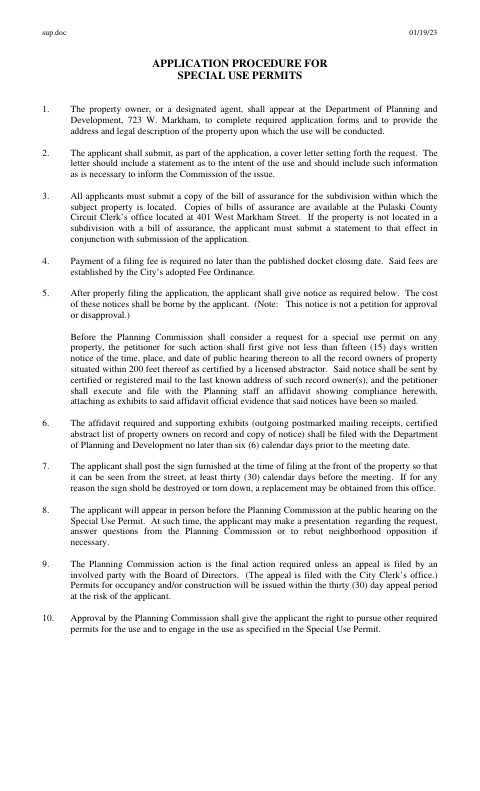
The packet explains the application process and includes the permit application, public-hearing notice, and affidavits. Applicants must provide the property address and legal description, submit a cover letter and subdivision bill of assurance or a statement that none applies, pay the filing fee, notify nearby record owners, and post the city-provided sign. The packet also includes an affidavit for a title holder to authorize an agent; the form requires that signature to be sworn before a notary.
Who needs it
A property owner or designated agent seeking Planning Commission approval for a special use must complete the application and follow the notice, filing, and hearing instructions.
How to get this notarized
- 1
Download the Application
Download the Little Rock special use permit packet and review its application, notice, affidavit, and filing instructions.
- 2
Complete the Required Details
Enter the property and applicant information, prepare the requested cover letter, and gather the bill of assurance or statement that none applies.
- 3
Book an Online Notary
Book a commissioned online notary for the title holder’s agent-authorization affidavit.
- 4
Sign on Video
The title holder signs the affidavit during the online notarization; the notary completes the jurat.
- 5
Submit to the City
Submit the application and required materials to Little Rock’s Department of Planning and Development, following the packet’s filing and notice deadlines.
Preview the form
The blank PDF straight from Little Rock. Look it over, then upload your filled copy to start the notary session.

You’ll need ID and a webcam.
A licensed online notary will join you on video, verify your government-issued ID, witness your signature, and apply their seal. You’ll receive the notarized PDF by email when the session ends.
Frequently asked questions
- How do I get the title-holder affidavit notarized?
- Complete the affidavit details, then sign before a commissioned online notary. The notary completes the subscribed-and-sworn section and commission-expiration information.
- Do I need to notarize the entire special use permit application?
- The packet’s notary block appears on the affidavit in which a title holder authorizes an agent. The separate public-hearing notice affidavit has no notary block shown in the supplied form text.
- Can I sign this affidavit with an online notary?
- Arkansas authorizes remote online notarization by its own notaries, and its acknowledgment law recognizes acknowledgments taken by an authorized officer of another state. Check with the city about its requirements for this affidavit.
- What else must I submit with the permit application?
- The instructions call for a cover letter, a bill of assurance or a statement that none applies, and the filing fee. They also require notice to nearby record owners, supporting mailing evidence, and posting the city-provided sign.
- Where do I submit the completed application?
- The instructions direct applicants to the Department of Planning and Development at 723 W. Markham. Confirm with the city if unsure about submission details or whether a remotely notarized affidavit is acceptable.