
Oroville, CA · Butte County
Building Permit Application
Property owners, contractors, or authorized agents use this application to request a building permit for construction, alteration, demolition, and other listed work in Oroville.
What this form is
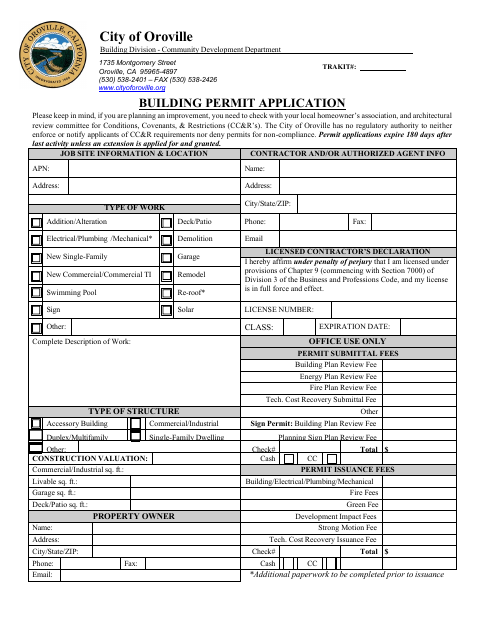
This application requests a building permit for work such as additions, alterations, new construction, demolition, swimming pools, roofing, signs, and solar projects. It asks for job-site and project details, property owner and contractor information, construction valuation, and declarations about licensing and workers’ compensation. The form states that applications expire 180 days after last activity unless an extension is applied for and granted.
Who needs it
Property owners, licensed contractors, or authorized agents seeking a permit for building work in Oroville should complete this application.
How to submit it
Submit it to the city department named on the form; check the city website for current contact details.
About notarization
This document is signed without a notary; it includes declarations made under penalty of perjury, which the signer signs and dates.
How to submit this form
- 1
Download The Application
Download the Building Permit Application PDF.
- 2
Complete The Application
Fill in the job-site, work, owner, contractor, valuation, and declaration sections that apply.
- 3
Gather Additional Paperwork
The form notes that additional paperwork must be completed before permit issuance for electrical, plumbing, mechanical, and re-roofing work.
- 4
Submit To The City
Submit the application to the city department named on the form; check the city website for current contact details.
Frequently asked questions
- What work does the Building Permit Application cover?
- The form lists work including additions or alterations, new construction, demolition, swimming pools, re-roofing, signs, and solar projects.
- What information does the application ask for?
- It asks for job-site and project details, owner and contractor information, construction valuation, and licensing and workers’ compensation declarations.
- Do I need a notary for the Building Permit Application?
- No. This document is signed without a notary, but it includes declarations made under penalty of perjury that the signer signs and dates.
- How do I submit the Building Permit Application?
- Submit it to the city department named on the form; check the city website for current contact details.
Need something notarized?
This Building Permit Application doesn’t need a notary — but if you have another Oroville form that does, a commissioned online notary can help.