
Oroville · Butte County · California
Notary in Oroville, CA: notarize documents online
Connect with a commissioned online notary for any Oroville city form. No appointment and no driving: your documents are notarized remotely, by video, from anywhere.
- Commissioned online notaries
- Legally valid & recordable
- Remote Online Notarization (RON)
Oroville forms you can notarize online
Each of these Oroville forms must be signed in front of a notary. Upload it and a commissioned online notary completes it over video.

Other Oroville forms (no notary required)
Oroville documents you can download and submit yourself. No notary signature or stamp is needed for these.
Building Permit Application
Property owners, contractors, or authorized agents use this application to request a building permit for construction, alteration, demolition, and other listed work in Oroville.
application
Claim for Damages Form
This form lets a person submit a claim to Oroville for damage to property or personal injury and describe the incident and claimed losses.
form
Cottage Food Operations
Cottage food operators use this application to describe their operation, choose a class, and complete a self-certification checklist for city review.
application
Deferred Frontage Improvements Application
Property owners use this application to request postponement of required street frontage improvements, such as curb, gutter, sidewalk, paving, and street work.
application
Development Review / Pre-Application
This application lets project applicants request an initial pre-application review or development review from the City of Oroville Planning Division.
application
Affidavit Requesting Duplicate Plans
This affidavit lets a person request duplicate building plans on file with Oroville’s Community Development Department and provide the required information about the request.
form
Encroachment Permit Application
Property owners, contractors, and utility companies use this application to request permission for work in a City of Oroville road right-of-way.
application
Engineering Division General Application
This application lets property owners or their agents request listed engineering services and permits from the City of Oroville Engineering Division.
application
Excavation Bond
Principals and sureties use this bond form for excavation operations covered by a City of Oroville license or permit.
form
Landmark Demolition Permit
Property owners use this application to request permission to apply for a demolition permit for a designated or qualifying historic landmark in Oroville.
application
Landmark Designation
Property owners or applicants use this application to request landmark designation for a site or improvement in Oroville.
application
Landmark Modification Permit
Property owners or applicants use this application to request approval for work that may change the exterior appearance or historic significance of a landmark property.
application
Mobile Food Vendor Application
Mobile food vendors use this application to describe their vending station, identify operating locations, and provide required documents to the City of Oroville.
application
General Planning Division Application
This application lets property owners or their authorized agents request planning, development, and administrative permits from the City of Oroville.
application
Reversion to Acreage Application
Property owners use this application to submit a reversion-to-acreage request, supporting project information, and required materials to Oroville's Public Works Department.
application
Second Dwelling Unit Application
Oroville property owners use this application to provide project details and request approval for a proposed second dwelling unit.
application
Second Dwelling Unit Application
Oroville property owners use this application to provide project details and acknowledge requirements for a proposed second dwelling unit.
application
Short Term Vacation Rental Application
Property owners or applicants use this application to request a City of Oroville permit for a short-term vacation rental and provide property and contact details.
application
Special Event / Street Closure
Oroville event organizers use this application to request city review for a special event, including events that need street or sidewalk closures.
application
Swimming Pool Safety Barrier Requirements
Property owners use this agreement to confirm they understand and will comply with Oroville’s swimming pool barrier requirements before a swimming pool permit is issued.
agreement
Temporary Uses and Buildings
Oroville’s Temporary Uses and Buildings application is for applicants seeking approval for a temporary use or building that requires a city permit.
application
Tentative Map Application
Property owners or subdividers use this application to request city review of a tentative parcel or subdivision map in Oroville.
application
Transportation Permit
This application requests City of Oroville authorization to move a vehicle, equipment, or load on roads and highways under city jurisdiction.
application
Use Permit Application
Property owners or applicants use this form to request a new use permit or amend an existing use permit in Oroville.
application
Variance Application
Oroville property applicants use this application to request a variance and explain how the request meets the listed approval criteria.
application
Zone Change / General Plan Amendment
Property applicants use this application to request a zone change, a General Plan amendment, or both for affected parcels in Oroville.
application
Zoning / General Plan Compliance Letter
Property applicants use this application to request a zoning or General Plan compliance letter from the City of Oroville Planning Division.
application
About Oroville
Oroville is the seat of Butte County, situated along the Feather River at the base of the Sierra Nevada foothills, near Lake Oroville and the tallest earthfill dam in the United States. It blends a historic downtown with access to outdoor recreation.
Whatever Oroville form you need notarized, Rush Notary connects you with a commissioned online notary in the same flow, no trip to City Hall required.
- County
- Butte County
- Type
- City
- Population
- ~20,000
- Incorporated
- 1906
Notary in Oroville: questions
- How do I get a document notarized in Oroville, CA?
- Online: upload the document, verify your ID, and sign on a short video call with a commissioned online notary, about 15 minutes, with no trip to an office. The notarized PDF is emailed to you, ready to file.
- Which Oroville forms need a notary?
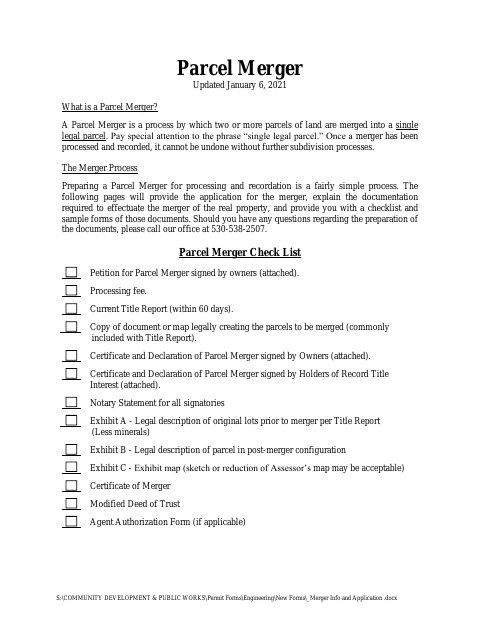
- Agreement for Outside Sewer Service and Irrevocable Petition for Annexation, Certificate and Declaration of Parcel Merger, each is listed on this page with its notary requirement. You can also notarize any other document.
- Is there a notary near me in Oroville?
- You don't need one nearby: a commissioned online notary meets you by video wherever you are in Oroville or Butte County, on a phone or computer with a camera.
See more in Butte County
Other cities in Butte County, the county government’s own forms, and where to record notarized documents.