
Glendora, CA · Los Angeles County
Form W-9
Form W-9 lets individuals and businesses provide a taxpayer identification number and certification to the City of Glendora as the requester.
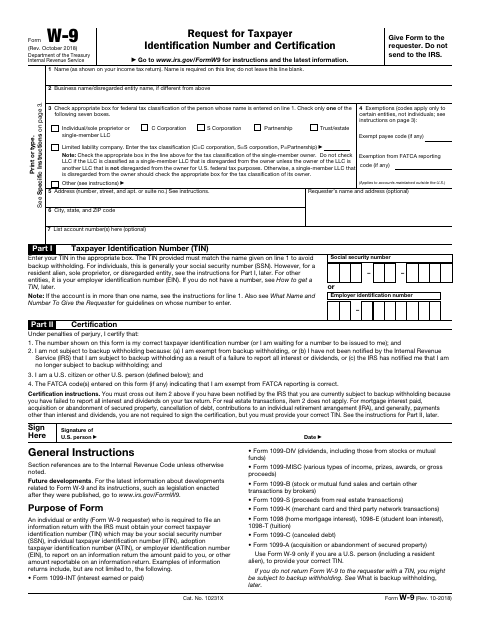
What this form is
This IRS Form W-9 collects a name, tax classification, address, taxpayer identification number, and certification for use by the requester. A person or business gives the completed form to the requester when asked for a taxpayer identification number for information reporting; the form says not to send it to the IRS. It also includes instructions for completing the form.
Who needs it
Individuals and businesses asked by the City of Glendora to provide a taxpayer identification number use this form to give the requester their information.
How to submit it
Give the completed form to the requester, as directed by the form; it says not to send it to the IRS.
About notarization
This document is signed without a notary; the signer signs and dates the certification, which is made under penalties of perjury.
How to submit this form
- 1
Download The Form
Download the City of Glendora's Form W-9.
- 2
Complete The Form
Enter the requested name, tax classification, address, taxpayer identification number, and other applicable information.
- 3
Sign And Date
Complete the certification and sign and date the form as directed.
- 4
Give It To The Requester
Give the completed form to the requester; do not send it to the IRS.
Frequently asked questions
- What is Form W-9 used for?
- Form W-9 gives a requester your name, tax classification, address, taxpayer identification number, and certification for information reporting.
- Do I need a notary for Form W-9?
- No. The form is signed and dated without a notary. Its certification is made under penalties of perjury.
- How do I submit Form W-9?
- Give the completed form to the requester. The form says not to send it to the IRS.
Need something notarized?
This Form W-9 doesn’t need a notary — but if you have another Glendora form that does, a commissioned online notary can help.