
Capitola, CA · Santa Cruz County
Business License Application
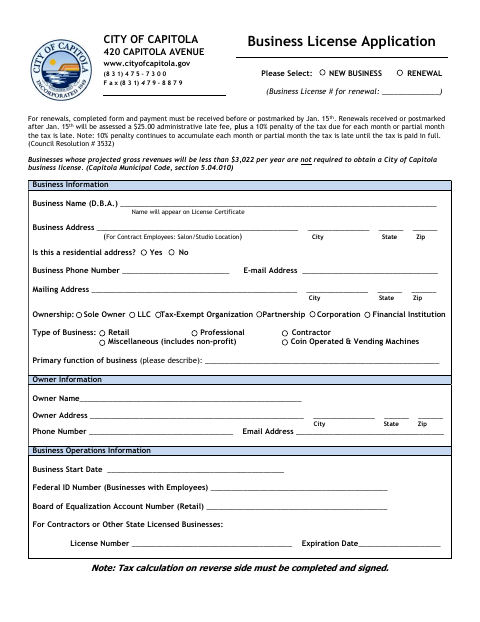
Businesses, including contractors, use this application to apply for or renew a Capitola business license and calculate the license tax due.
What this form is
This application is for businesses seeking a new Capitola business license or renewing an existing license. It collects business, ownership, contact, and operations information, and includes a tax calculation worksheet for contractors and builders; the applicant completes the relevant license and tax sections, signs, and dates the form.
Who needs it
Businesses applying for or renewing a Capitola license use this form, including contractors and builders completing the tax calculation worksheet.
How to submit it
Submit it to the city department named on the form; check the city website for current contact details.
About notarization
This application is signed and dated without a notary; the signer simply signs and dates it.
How to submit this form
- 1
Download the Application
Download the Business License Application PDF.
- 2
Complete the Relevant Sections
Select new business or renewal and fill in the applicable business, ownership, and operations information.
- 3
Complete the Tax Worksheet
Contractors and builders complete the tax calculation worksheet and indicate an annual or quarterly license.
- 4
Sign and Submit
Sign and date the application, then submit it to the city department named on the form.
Frequently asked questions
- Do I need a notary for this Business License Application?
- No. The application is signed and dated without a notary; the signer simply signs and dates it.
- How do I submit the Business License Application?
- Submit it to the city department named on the form; check the city website for current contact details.
- What information does the application ask for?
- It asks for business and owner details, contact information, business operations information, and a license tax calculation. Contractors and builders complete the worksheet.