
Santa Paula, CA · Ventura County
Business License Tax Statement Application
Businesses use this application to provide information and estimated gross revenue for a Santa Paula business license tax statement.
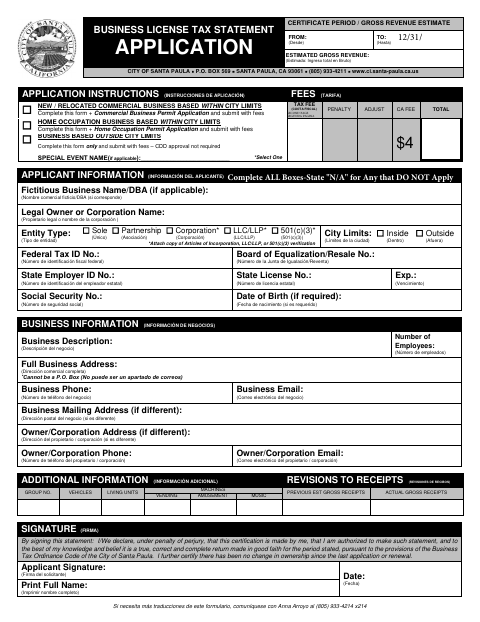
What this form is
This application collects business and applicant details, entity type, estimated gross revenue, and other information used for the business license tax statement. The form says businesses based within city limits must also submit the applicable Commercial Business Permit or Home Occupation Permit application; businesses based outside city limits complete this form only. It includes a tax rate schedule and a stormwater applicability section.
Who needs it
Businesses applying from within Santa Paula or outside its limits use the form, with additional permit applications required for specified businesses based inside the city.
How to submit it
The form says to submit it with fees and lists City of Santa Paula, P.O. Box 569, Santa Paula, CA 93061. Businesses inside city limits must include the applicable permit application.
About notarization
This document is signed without a notary; the signer signs and dates the statement, which includes a declaration under penalty of perjury.
How to submit this form
- 1
Download The Application
Download the Business License Tax Statement Application.
- 2
Complete The Form
Fill in the business and applicant information, estimated gross revenue, and applicable additional information.
- 3
Gather Required Attachments
Attach the applicable Commercial Business Permit or Home Occupation Permit Application for a business based within city limits. The form also requests entity documents for certain entity types.
- 4
Sign And Date
Sign and date the statement and complete the applicable stormwater certification section.
- 5
Submit To The City
Submit the application with fees to the City of Santa Paula at the P.O. Box listed on the form.
Frequently asked questions
- What does the Business License Tax Statement Application ask for?
- It asks for business and applicant information, estimated gross revenue, and other details, including information for the stormwater applicability section.
- Do I need a notary for the Business License Tax Statement Application?
- No. The document is signed without a notary; the signer signs and dates a statement that includes a declaration under penalty of perjury.
- How do I submit the Business License Tax Statement Application?
- Submit the form with fees to the City of Santa Paula, P.O. Box 569, Santa Paula, CA 93061. If based within city limits, include the applicable permit application.
- What additional application may be required?
- The instructions say a new or relocated commercial business based within city limits submits a Commercial Business Permit Application, while a home occupation business submits a Home Occupation Permit Application.