
Castle Rock, CO · Douglas County
Affidavit of Posting
The Affidavit of Posting documents that required public notice signs were posted and monitored at a project site before a scheduled public hearing or neighborhood meeting.
- licensed online notary
- ~15 min average
- Notarized PDF emailed
What you’ll need
- Government-issued photo ID
- Webcam-enabled device (laptop or phone)
- This form, ready to upload as a PDF
What this form is
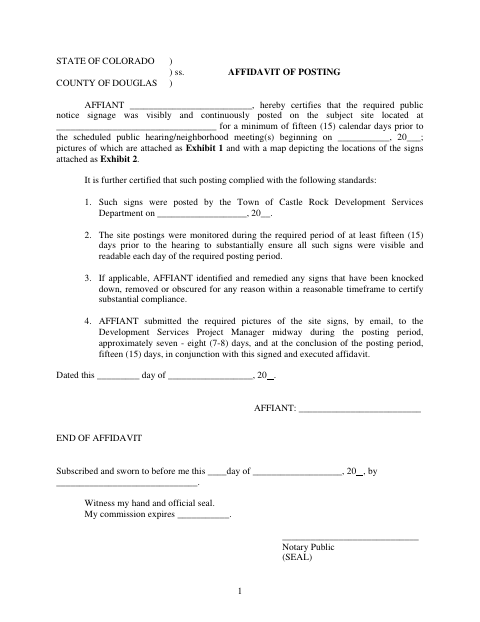
The affiant certifies that public notice signs were visibly and continuously posted at the subject site for at least 15 calendar days before a scheduled public hearing or neighborhood meeting. The affidavit also addresses monitoring the signs and submitting photographs during and at the end of the posting period; photographs and a map of sign locations are attached as exhibits. The Town of Castle Rock requires this completed affidavit for the posting described in the form.
Who needs it
The affiant responsible for certifying the notice-sign posting completes this form for a site with a scheduled public hearing or neighborhood meeting.
How to get this notarized
- 1
Download the Form
Download the Affidavit of Posting from the Town of Castle Rock.
- 2
Fill In the Affidavit
Complete the affiant, site, posting, and hearing details, and prepare the photographs and sign-location map described as exhibits.
- 3
Book an Online Notary
Arrange a remote notarization with a commissioned online notary.
- 4
- 5
Submit to the Town
Submit the signed affidavit and exhibits to the Town of Castle Rock as directed.
Preview the form
The blank PDF straight from Castle Rock. Look it over, then upload your filled copy to start the notary session.

You’ll need ID and a webcam.
A licensed online notary will join you on video, verify your government-issued ID, witness your signature, and apply their seal. You’ll receive the notarized PDF by email when the session ends.
Frequently asked questions
- How do I complete the Affidavit of Posting?
- Enter the affiant and site details, posting and hearing dates, and the requested certification information. Attach the sign photographs and location map described in the form, then sign before a notary.
- Do I need to sign this affidavit in front of a notary?
- Yes. The form includes a jurat stating that the affiant subscribed and swore to the affidavit before a notary. Wait to sign until the notary directs you.
- Can I use a commissioned online notary?
- Colorado authorizes remote online notarization by its notaries under C.R.S. §24-21-514.5. A commissioned online notary can notarize your signature remotely; confirm the Town will accept the notarized form.
- What should I submit with the affidavit?
- The form calls for photographs of the site signs as Exhibit 1 and a map showing sign locations as Exhibit 2. It also describes sending photographs to the Development Services Project Manager midway through and at the end of the posting period; confirm with the city or town if unsure.
Other forms in Castle Rock
Affidavit of Posting in other Colorado cities
Each city publishes its own version of this form. Pick the city where you’re filing.