
Monument, CO · El Paso County
Improvements Agreement for Public/Private Development Project
This 24-page agreement sets out a developer’s commitments to construct and secure required site improvements, and is submitted to the Town of Monument for an approved development project.
- licensed online notary
- ~15 min average
- Notarized PDF emailed
What you’ll need
- Government-issued photo ID
- Webcam-enabled device (laptop or phone)
- This form, ready to upload as a PDF
What this form is
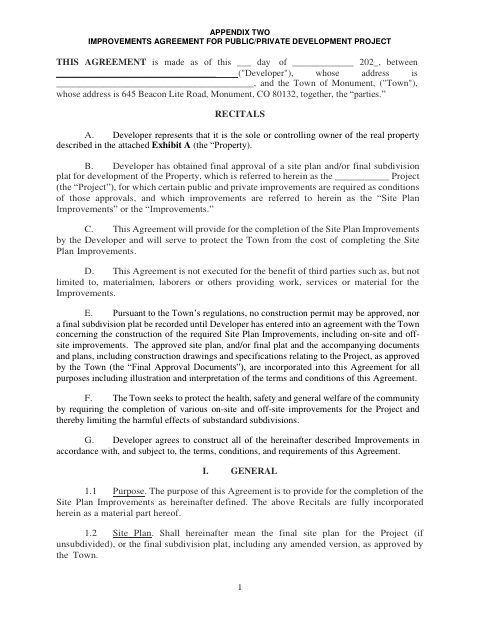
The agreement covers construction schedules, improvement standards, financial security, inspection, acceptance, warranties, and remedies if the developer does not meet its obligations. The form states that the developer must enter into an agreement with the Town concerning required site improvements before a construction permit may be approved or a final subdivision plat recorded. It includes exhibits for property description, cost estimates, construction schedule, security, and other project terms.
Who needs it
A developer with an approved site plan or final subdivision plat who must arrange for required public and private improvements to serve a Monument project needs this agreement.
Why it needs a notary
The developer’s representative signs the sworn-to and subscribed-before-me jurat as an officer of the developer corporation, in the notary’s presence.
How to get this notarized
- 1
Download The Agreement
Download the Improvements Agreement for Public/Private Development Project from the Town of Monument.
- 2
Fill In The Agreement
Enter the developer, project, and property details, and prepare the exhibits applicable to the project.
- 3
Book An Online Notary
Schedule a commissioned online notary for the developer representative who will sign the jurat.
- 4
Sign On Video
Show identification and sign the agreement during the online notary session, while the notary observes.
- 5
Submit To The Town
Submit the completed, notarized agreement and applicable exhibits to the Town of Monument.
Preview the form
The blank PDF straight from Monument. Look it over, then upload your filled copy to start the notary session.

You’ll need ID and a webcam.
A licensed online notary will join you on video, verify your government-issued ID, witness your signature, and apply their seal. You’ll receive the notarized PDF by email when the session ends.
Frequently asked questions
- How do I notarize this development improvements agreement online?
- Complete the agreement and its applicable exhibits, then book a commissioned online notary. The developer’s representative signs the jurat during the video session before submitting the agreement to the Town of Monument.
- Do I need to sign the agreement in front of a notary?
- Yes. The form includes a jurat stating that the agreement was subscribed and sworn to before a notary. The developer’s named representative signs in the notary’s presence.
- What project information and exhibits does the agreement request?
- The agreement identifies the developer, property, and project, and refers to exhibits for the legal description, improvement cost estimates, construction schedule, security, and related project terms.
- Can I use remote online notarization for this form?
- Colorado authorizes its notaries to perform remote online notarizations under C.R.S. §24-21-514.5. Ask the Town whether it will accept the remotely notarized agreement for your submission; confirm with the city or town if unsure.