
Severance, CO · Weld County
Solicitor Permit Application
This application lets a business request a Town of Severance permit for door-to-door solicitation and provide company, supervisor, and solicitor details.
- licensed online notary
- ~15 min average
- Notarized PDF emailed
What you’ll need
- Government-issued photo ID
- Webcam-enabled device (laptop or phone)
- This form, ready to upload as a PDF
What this form is
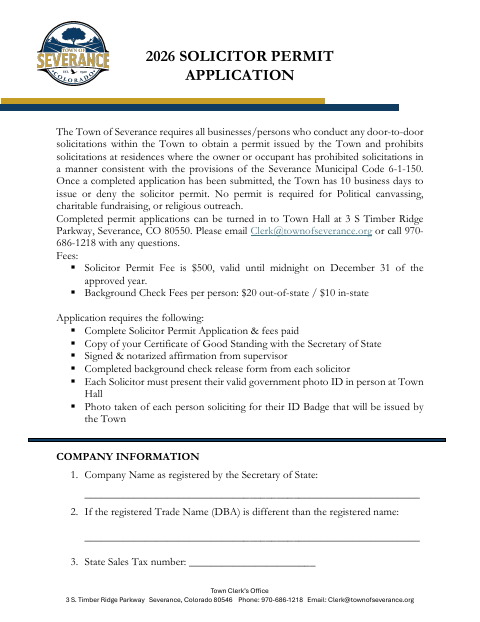
The Town requires businesses and individuals conducting door-to-door solicitation in Severance to obtain a permit, with exceptions for political canvassing, charitable fundraising, and religious outreach. The application gathers business and solicitor information and includes a notarized affirmation from the supervising solicitor. Submit the completed application, required attachments, and fees to Town Hall; the Town states it has 10 business days to issue or deny the permit.
Who needs it
Businesses planning door-to-door solicitation in Severance need this application, with information for the company, supervising solicitor, and each individual solicitor.
How to get this notarized
- 1
Download The Application
Get the Solicitor Permit Application from the Town of Severance.
- 2
Complete The Application
Enter company, supervisor, and solicitor details, and gather the required attachments and fees.
- 3
Book An Online Notary
Arrange an online notarization for the supervising solicitor’s affidavit.
- 4
Sign On Video
The supervisor signs the affidavit during the online notary session and completes the notarization.
- 5
Submit To The Town
Submit the completed application and required materials to Town Hall in Severance.
Preview the form
The blank PDF straight from Severance. Look it over, then upload your filled copy to start the notary session.

You’ll need ID and a webcam.
A licensed online notary will join you on video, verify your government-issued ID, witness your signature, and apply their seal. You’ll receive the notarized PDF by email when the session ends.
Frequently asked questions
- How do I complete the notarized affidavit?
- The supervising solicitor signs the affidavit before a notary. The notary completes the sworn-or-affirmed-before-me section, including the date and signer’s name.
- Do I need a notary for every solicitor?
- The application calls for a signed, notarized affirmation from the supervisor. It separately requires a background check authorization form from each solicitor; that form has a solicitor signature line.
- Can I sign the affidavit with an online notary?
- Colorado authorizes remote online notarization by a commissioned online notary under C.R.S. §24-21-514.5. Confirm with the city or town if unsure whether it will accept the notarized affidavit in this format.
- What else must I submit with the application?
- The form lists the permit application and fees, a Certificate of Good Standing, the supervisor’s notarized affirmation, and a completed background check release form for each solicitor. Each solicitor must also present valid photo ID at Town Hall.