
Enfield, CT · Hartford County
Inland Wetlands & Watercourses Application
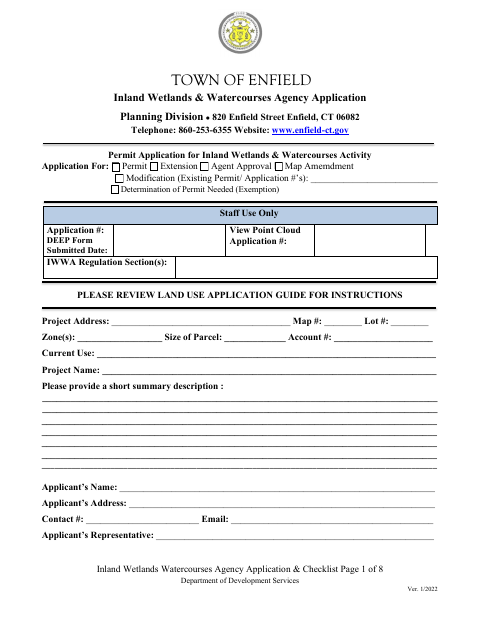
This application and checklist is for applicants seeking an Enfield Inland Wetlands & Watercourses Agency permit, extension, agent approval, map amendment, modification, or determination.
- licensed online notary
- ~15 min average
- Notarized PDF emailed
What you’ll need
- Government-issued photo ID
- Webcam-enabled device (laptop or phone)
- This form, ready to upload as a PDF
What this form is
Use this form to describe a proposed project and its potential effects on wetlands, watercourses, and nearby areas. The applicant completes the application, provides supporting plans and reports, and submits the checklist materials required for review by Enfield’s Inland Wetlands & Watercourses Agency. The form includes a sworn statement and signature lines for the applicant and property owner.
Who needs it
Applicants seeking an Enfield Inland Wetlands & Watercourses Agency permit, extension, agent approval, map amendment, modification, or determination complete this form.
Why it needs a notary
The form carries a jurat stating “Subscribed and sworn to before me”; the applicant and property owner sign the application before the notary.
How to get this notarized
- 1
Download the Form
Download Enfield’s Inland Wetlands & Watercourses Application and Checklist.
- 2
Complete the Application
Fill in the project, applicant, property, and environmental details, and gather the checklist materials that apply.
- 3
Book an Online Notary
Schedule a remote session with a commissioned online notary for the application’s sworn signature.
- 4
Sign on Video
The required signer or signers complete the notarial signing during the online video session.
- 5
Submit to Enfield
Submit the signed application, checklist, and required supporting materials to the Town of Enfield.
Preview the form
The blank PDF straight from Enfield. Look it over, then upload your filled copy to start the notary session.

You’ll need ID and a webcam.
A licensed online notary will join you on video, verify your government-issued ID, witness your signature, and apply their seal. You’ll receive the notarized PDF by email when the session ends.
Frequently asked questions
- How do I get the Enfield wetlands application notarized online?
- Complete the application, then book a session with a commissioned online notary. The required signer or signers sign during the video session, and you can submit the completed form with the required plans and supporting documents.
- Do I need to sign this application in front of a notary?
- Yes. The application includes a “Subscribed and sworn to before me” jurat. The applicant and property owner have signature lines; confirm which signatures need notarization for your filing.
- What documents does Enfield require with the application?
- The checklist calls for application materials such as plans, reports, a fee, and the completed Part II of the DEEP reporting form. Requirements depend on the project; review all checklist pages.
- Will Enfield accept an online-notarized application?
- Connecticut permits remote online notarization, but the form does not state whether Enfield accepts an online-notarized application. Confirm with the town clerk if unsure.