
Statham, GA · Barrow County
Amusement Game Room License Application
This application is for individuals or businesses seeking a new or renewed City of Statham license to operate an amusement game room and must be completed by the applicant.
- licensed online notary
- ~15 min average
- Notarized PDF emailed
What you’ll need
- Government-issued photo ID
- Webcam-enabled device (laptop or phone)
- This form, ready to upload as a PDF
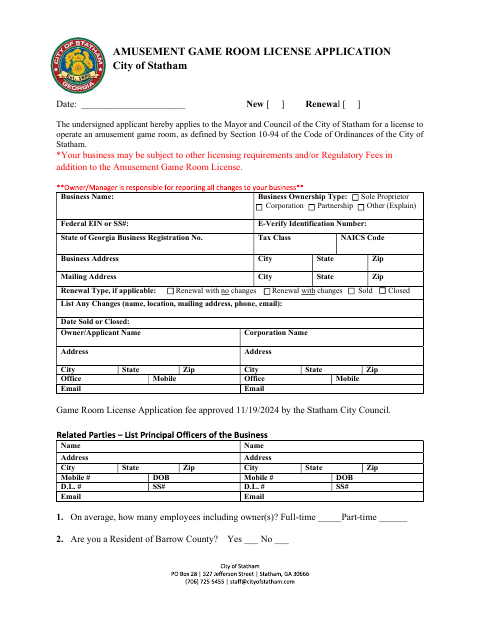
What this form is
Use this four-page application to request a new or renewed Statham amusement game room license. It collects business, ownership, location, employee, and gaming-machine information, along with answers about the applicant’s background and business arrangements. The applicant swears that the answers are true and correct; the form also includes a separate business registration certification and lists supporting items to return with the application.
Who needs it
An individual or business applying for a new or renewed City of Statham license to operate an amusement game room needs to complete this application.
How to get this notarized
- 1
Download The Application
Get the City of Statham Amusement Game Room License Application.
- 2
Fill In The Form
Complete the applicant, business, ownership, location, and gaming-machine details, answer all questions, and gather the listed supporting items.
- 3
Book An Online Notary
Book a commissioned online notary for the sworn statement and check with the city if you are unsure whether it accepts remote notarization.
- 4
Sign On Video
Sign the sworn statement before the notary during your online video session.
- 5
Submit To The City
Return the completed application, listed supporting items, and applicable fees to the City of Statham.
Preview the form
The blank PDF straight from Statham. Look it over, then upload your filled copy to start the notary session.

You’ll need ID and a webcam.
A licensed online notary will join you on video, verify your government-issued ID, witness your signature, and apply their seal. You’ll receive the notarized PDF by email when the session ends.
Frequently asked questions
- How do I complete the amusement game room license application?
- Fill in the applicant, business, ownership, and location details and answer each question. Sign the sworn statement before a commissioned online notary, then return the completed application and listed items to the city.
- Do I need to sign this application in front of a notary?
- Yes. The application includes a sworn-to and subscribed-before-me jurat for the applicant, with a space for the notary’s signature and commission expiration.
- Can I use an online notary for this sworn application?
- Georgia has no remote online notarization statute of its own. Georgia law recognizes acknowledgments taken by notaries of other states (O.C.G.A. §44-2-21), but this form contains a jurat; confirm with the city if unsure.
- What supporting items does the application list?
- The form lists a Georgia business registration copy, Private Employer Affidavit, SAVE Affidavit, completed fingerprint work order, a distance waiver permit if applicable, a master license copy, and applicable fees.