
Powder Springs, GA · Cobb County
Private Employer E-Verify Affidavit
This affidavit lets a private employer state its employee count and, when applicable, provide federal work authorization details for a Powder Springs business license or other operating document.
- licensed online notary
- ~15 min average
- Notarized PDF emailed
What you’ll need
- Government-issued photo ID
- Webcam-enabled device (laptop or phone)
- This form, ready to upload as a PDF
What this form is
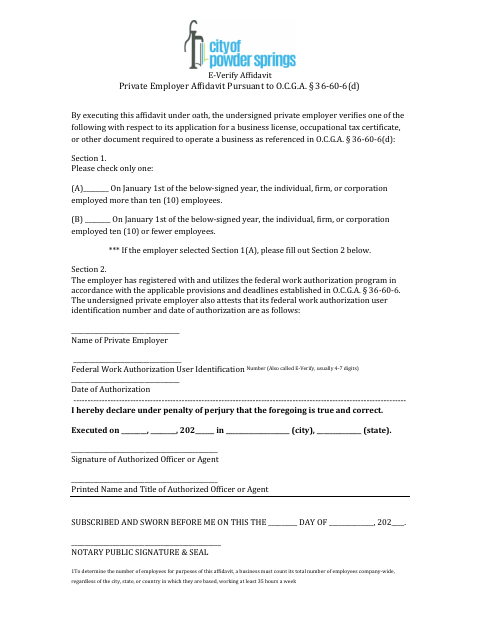
The affidavit asks an authorized employer representative to choose whether the business employed more than ten employees or ten or fewer on January 1 of the stated year. Employers selecting more than ten employees must also provide their federal work authorization user identification number and authorization date. The form accompanies an application for a business license, occupational tax certificate, or another document required to operate a business.
Who needs it
A private employer applying for a business license, occupational tax certificate, or other business operating document should complete this affidavit through an authorized officer or agent.
How to get this notarized
- 1
Download the Affidavit
Get the Private Employer E-Verify Affidavit from the Powder Springs city forms page.
- 2
Complete the Form
Choose one employee-count option and, if selecting more than ten employees, fill in the requested work authorization details.
- 3
Book an Online Notary
Arrange an online notarization with a commissioned online notary before signing.
- 4
Sign on Video
The authorized officer or agent signs and swears to the affidavit during the online notary session.
- 5
Submit to the City
Submit the completed affidavit with the applicable business license, occupational tax certificate, or other operating-document application.
Preview the form
The blank PDF straight from Powder Springs. Look it over, then upload your filled copy to start the notary session.

You’ll need ID and a webcam.
A licensed online notary will join you on video, verify your government-issued ID, witness your signature, and apply their seal. You’ll receive the notarized PDF by email when the session ends.
Frequently asked questions
- How do I complete the Private Employer E-Verify Affidavit?
- Select the employee-count option for January 1 of the stated year. If you select more than ten employees, complete Section 2 with the federal work authorization user ID and authorization date, then sign before a notary.
- Do I need to complete Section 2?
- Only if you select Section 1(A), indicating the employer had more than ten employees on January 1 of the stated year. The form requests the work authorization user ID and authorization date.
- Can I sign this affidavit with an online notary?
- Georgia has no remote online notarization statute of its own, but Georgia law recognizes acknowledgments taken by notaries of other states (O.C.G.A. § 44-2-21). Use a commissioned online notary and confirm the city's acceptance; confirm with the city if unsure.
- Who signs the affidavit?
- An authorized officer or agent of the private employer signs the affidavit and swears before the notary that its statements are true and correct.
Private Employer E-Verify Affidavit in other Georgia cities
Each city publishes its own version of this form. Pick the city where you’re filing.