
Brookhaven, GA · DeKalb County
E-Verify Private Employer Affidavit
This sworn affidavit is for a private employer applying for a City of Brookhaven business license to report its employee count and, when applicable, federal work authorization details.
- licensed online notary
- ~15 min average
- Notarized PDF emailed
What you’ll need
- Government-issued photo ID
- Webcam-enabled device (laptop or phone)
- This form, ready to upload as a PDF
What this form is
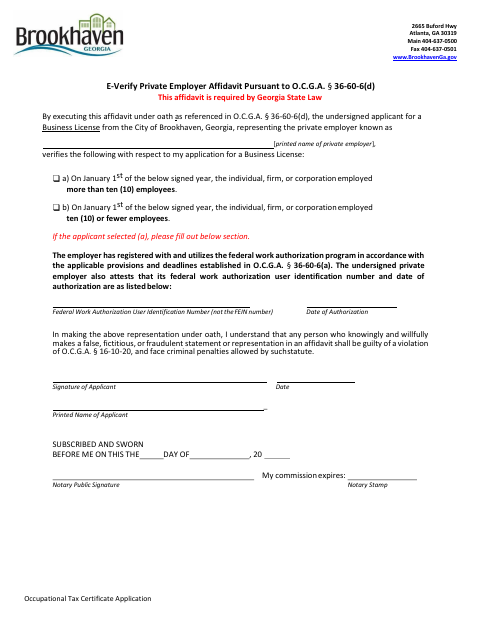
The applicant completes this affidavit as part of an Occupational Tax Certificate (Business License) application, stating whether the private employer had more than ten employees or ten or fewer employees on January 1 of the signed year. Employers reporting more than ten employees also provide their federal work authorization user identification number and authorization date, and attest to registering for and using the program. The applicant signs under oath and submits the form with the application.
Who needs it
A private employer applicant for a Brookhaven Business License must submit this affidavit and report the employer’s January 1 employee count.
How to get this notarized
- 1
Download the Affidavit
Get the E-Verify Private Employer Affidavit from the City of Brookhaven.
- 2
Complete the Form
Enter the applicant and employer details, select the applicable employee-count statement, and complete work authorization details if required.
- 3
Book an Online Notary
Arrange an online notarization with a commissioned online notary before signing.
- 4
- 5
Submit to the City
Submit the notarized affidavit with your Brookhaven Business License application.
Preview the form
The blank PDF straight from Brookhaven. Look it over, then upload your filled copy to start the notary session.

You’ll need ID and a webcam.
A licensed online notary will join you on video, verify your government-issued ID, witness your signature, and apply their seal. You’ll receive the notarized PDF by email when the session ends.
Frequently asked questions
- How do I complete the E-Verify Private Employer Affidavit?
- Select the employee-count statement that applies, complete the additional work authorization details if required, then sign under oath before a notary and submit it with your business license application.
- Do I need to notarize this affidavit?
- Yes. The form includes a subscribed-and-sworn jurat and calls for the applicant to sign under oath before a notary.
- Can I use a commissioned online notary for this affidavit?
- Georgia has no remote online notarization statute of its own. Georgia law recognizes acknowledgments taken by notaries of other states (O.C.G.A. §44-2-21), but this form requires a sworn jurat; confirm with the city if unsure.
- What information does an employer with more than ten employees provide?
- The affidavit asks for the federal work authorization user identification number—not the FEIN—and the date of authorization, along with an attestation about registering for and using the program.
Other forms in Brookhaven
E-Verify Private Employer Affidavit in other Georgia cities
Each city publishes its own version of this form. Pick the city where you’re filing.