
Zionsville, IN · Boone County
Application for Obstruction of Recorded Right-of-Way and Air Rights
This application and encroachment agreement request Town of Zionsville approval for a property owner’s proposed obstruction in a public right-of-way, air rights, or easement.
- licensed online notary
- ~15 min average
- Notarized PDF emailed
What you’ll need
- Government-issued photo ID
- Webcam-enabled device (laptop or phone)
- This form, ready to upload as a PDF
What this form is
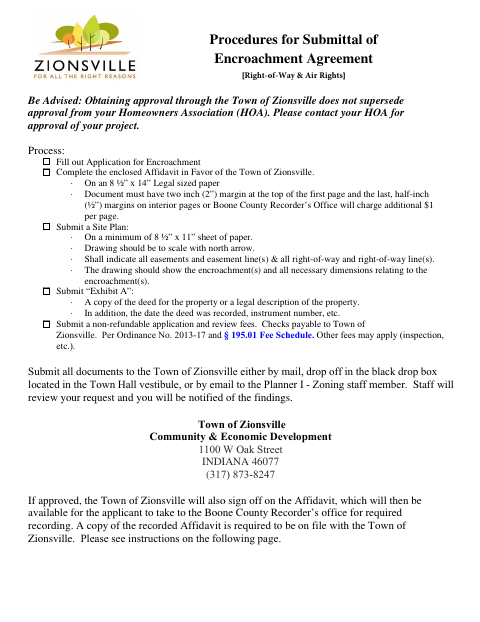
Use this packet to request approval for a proposed encroachment, such as a sign, fence, tree, deck, or other structure. It includes the application, owner authorization if needed, a site plan, property documentation, and an encroachment agreement. Submit the materials and fees to the Town for review. If approved, the affidavit signed and notarized by the Town must be recorded with the Boone County Recorder, and a recorded copy must be provided to the Planning Department.
Who needs it
A property owner or applicant proposing an encroachment in a Zionsville right-of-way, air rights, or easement needs this packet to request Town approval.
Why it needs a notary
The agreement includes an owner acknowledgment with a sworn statement and a separate acknowledgment for the Town’s Building Commissioner; the relevant signer appears before a notary.
How to get this notarized
- 1
Download the Packet
Get the encroachment application and agreement packet from the Town of Zionsville.
- 2
Complete the Forms
Fill out the application and, if needed, the owner authorization. Prepare the required site plan and deed copy or legal description.
- 3
Book an Online Notary
Arrange a commissioned online notary for the agreement’s required notarized signature.
- 4
Sign on Video
Follow the notary’s instructions and sign the applicable agreement section during the online session.
- 5
Submit to the Town
Send the application materials and fees to the Town for review. If approved, record the signed affidavit with the Boone County Recorder and provide the recorded copy to Planning.
Preview the form
The blank PDF straight from Zionsville. Look it over, then upload your filled copy to start the notary session.

You’ll need ID and a webcam.
A licensed online notary will join you on video, verify your government-issued ID, witness your signature, and apply their seal. You’ll receive the notarized PDF by email when the session ends.
Frequently asked questions
- How do I submit the encroachment application?
- Complete the application and gather the required agreement, site plan, and deed or legal description. Submit the packet and fees to the Town by mail, drop box, or email as directed in the form.
- Do I need to record the agreement after Town approval?
- Yes. The form says that after approval, the applicant retrieves the Town-signed and notarized affidavit for recording with the Boone County Recorder, then provides the recorded document to the Planning Department.
- Can I sign the agreement with an online notary?
- Indiana permits remote online notarization by a commissioned online notary. Check that the notary can complete the form’s required acknowledgment and sworn statement; confirm with the city or town if unsure.
- Does Town approval replace HOA approval?
- No. The form advises that Town approval does not supersede approval from your homeowners association. Contact your HOA about approval for your project.
Other forms in Zionsville
Petition for Development Plan Approval
Zionsville
Application for Minor Amendment to Original Development Plan or Improvement Location Permit
Zionsville
Petition for Vacation of Platted Items by Plan Commission
Zionsville
Plan Commission Real Estate Commitments
Zionsville
Petition for Vacation of a Public Way or Public Place
Zionsville
Petition for Subdivision Plat Approval
Zionsville