
Dillsboro, IN · Dearborn County
E-Verify Affidavit
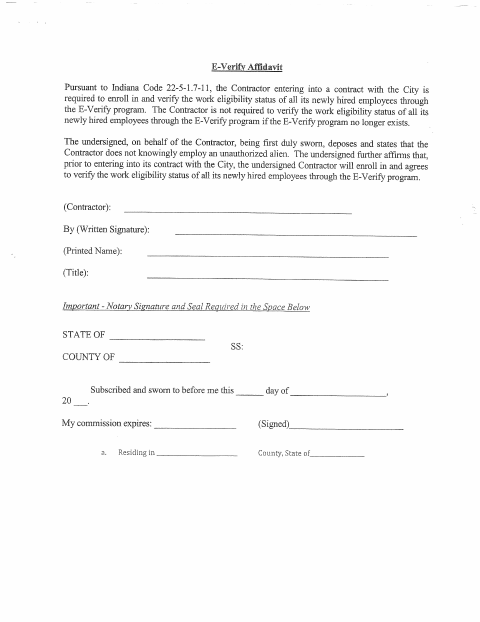
This affidavit is for a contractor entering into a contract with the City of Dillsboro and states the contractor’s position on unauthorized employment and E-Verify enrollment.
- licensed online notary
- ~15 min average
- Notarized PDF emailed
What you’ll need
- Government-issued photo ID
- Webcam-enabled device (laptop or phone)
- This form, ready to upload as a PDF
What this form is
The affidavit states that the contractor does not knowingly employ an unauthorized alien and, before entering into its City contract, will enroll in E-Verify and verify newly hired employees’ work eligibility. The form says verification is not required if the E-Verify program no longer exists. A contractor representative completes and signs it as part of the City contracting process.
Who needs it
A contractor entering into a contract with the City of Dillsboro needs this affidavit completed by an authorized representative on the contractor’s behalf.
How to get this notarized
- 1
Download the Affidavit
Get the E-Verify Affidavit from the City of Dillsboro.
- 2
Fill In Contractor Details
Provide the contractor’s written signature, printed name, and title, but wait to sign until the notary session.
- 3
Book an Online Notary
Schedule a remote session with a commissioned online notary.
- 4
- 5
Submit to the City
Return the notarized affidavit to the City of Dillsboro as part of the contract process.
Preview the form
The blank PDF straight from Dillsboro. Look it over, then upload your filled copy to start the notary session.

You’ll need ID and a webcam.
A licensed online notary will join you on video, verify your government-issued ID, witness your signature, and apply their seal. You’ll receive the notarized PDF by email when the session ends.
Frequently asked questions
- How do I complete the Dillsboro E-Verify Affidavit?
- Enter the contractor’s name, written signature, printed name, and title. Sign before the notary, who completes the jurat, commission details, and seal.
- Do I need to sign the affidavit in front of a notary?
- Yes. The form requires a notary signature and seal and states that it must be subscribed and sworn to before the notary.
- Can I use an online notary for this affidavit?
- Indiana law allows remote online notarization by a commissioned notary with a remote notary public endorsement under IC 33-42-17. Confirm with the city or town if unsure whether it accepts an online-notarized copy.
- What does the contractor affirm in this form?
- The contractor representative affirms that the contractor does not knowingly employ an unauthorized alien and will enroll in E-Verify and verify newly hired employees’ work eligibility before entering into the City contract.