
Crown Point, IN · Lake County
General Contractor Permit Affidavit
The General Contractor Permit Affidavit records a license holder’s sworn confirmation that the information provided is true, for filing with the Crown Point Building Department in connection with a permit.
- licensed online notary
- ~15 min average
- Notarized PDF emailed
What you’ll need
- Government-issued photo ID
- Webcam-enabled device (laptop or phone)
- This form, ready to upload as a PDF
What this form is
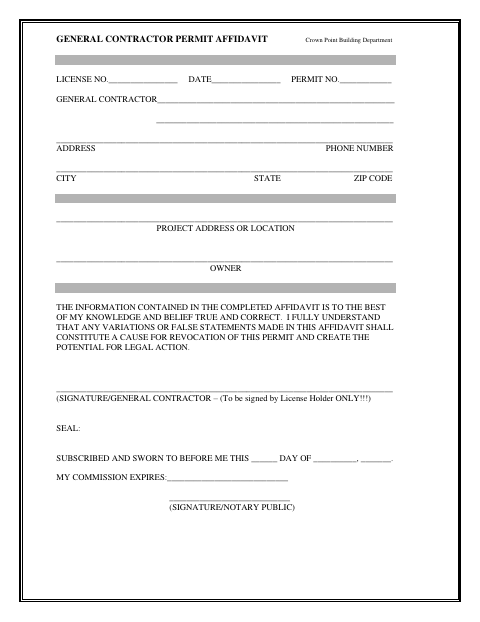
This one-page affidavit identifies the general contractor, license number, permit number, contact and project details, and owner. The license holder states that the completed information is true and correct and acknowledges that variations or false statements may cause permit revocation and potential legal action. Crown Point’s form directs the general contractor license holder to sign the affidavit before a notary as part of the building permit process.
Who needs it
A general contractor license holder completing the Crown Point Building Department’s permit paperwork needs this affidavit to attest to the information provided.
Why it needs a notary
The form carries a subscribed-and-sworn jurat; the general contractor license holder must sign the affidavit before the notary public.
How to get this notarized
- 1
Download the Affidavit
Get the General Contractor Permit Affidavit from the Crown Point Building Department.
- 2
Fill In the Form
Complete the contractor, license, permit, contact, project, and owner information. Do not sign before your notary session.
- 3
Book an Online Notary
Schedule a session with a commissioned online notary and have your identification and completed form ready.
- 4
Sign on Video
The general contractor license holder signs during the video session before the notary administers the oath.
- 5
Submit to the City
Submit the notarized affidavit to the Crown Point Building Department with your permit paperwork.
Preview the form
The blank PDF straight from Crown Point. Look it over, then upload your filled copy to start the notary session.

You’ll need ID and a webcam.
A licensed online notary will join you on video, verify your government-issued ID, witness your signature, and apply their seal. You’ll receive the notarized PDF by email when the session ends.
Frequently asked questions
- How do I get this affidavit notarized online?
- Complete the form without signing it, then book a session with a commissioned online notary. Sign during the video session when directed, and submit the notarized affidavit to the Crown Point Building Department.
- Do I need to sign the affidavit in front of a notary?
- Yes. The form includes a subscribed-and-sworn jurat and identifies the signer as the general contractor license holder. Sign before the notary, rather than signing in advance.
- Can I use an online notary for this form?
- Indiana authorizes its notaries with a remote notary public endorsement to perform remote online notarizations under IC 33-42-17. The statute took effect July 1, 2019, and the endorsement took effect July 1, 2020. Confirm with the city or town if unsure.
- What information does the affidavit ask for?
- The form has spaces for the license, date, and permit numbers; contractor, address, phone, city, state, and ZIP code; project address or location; and owner.