
Hobart, IN · Lake County
Petition to Vacate and Affidavit
This notarized petition and affidavit is for owners or applicants asking the City of Hobart Plan Commission to consider vacating a subdivision or street.
- licensed online notary
- ~15 min average
- Notarized PDF emailed
What you’ll need
- Government-issued photo ID
- Webcam-enabled device (laptop or phone)
- This form, ready to upload as a PDF
What this form is
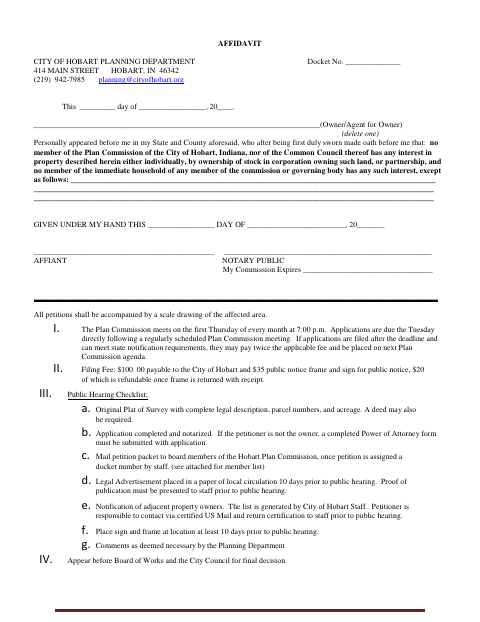
Use this form to petition the City of Hobart to vacate a subdivision or street and provide property, ownership, and affected-improvements information. The owner or agent for the owner also swears that members of the Plan Commission and Common Council, and members of their immediate households, have no interest in the described property, except as disclosed. The city lists a completed, notarized application among the public hearing requirements and requires supporting materials and later review.
Who needs it
Owners or applicants seeking to vacate a subdivision or street in Hobart should complete the petition and provide the accompanying affidavit.
How to get this notarized
- 1
Download the Form
Get the City of Hobart Petition to Vacate and Affidavit.
- 2
Fill Out the Petition
Complete the petition and affidavit, including property details and any disclosed interests.
- 3
Book an Online Notary
Arrange an online notarization for the affidavit before signing.
- 4
Sign on Video
Sign the affidavit during your online notary session.
- 5
Submit to the City
Submit the notarized application and required materials to the City of Hobart according to its filing instructions.
Preview the form
The blank PDF straight from Hobart. Look it over, then upload your filled copy to start the notary session.

You’ll need ID and a webcam.
A licensed online notary will join you on video, verify your government-issued ID, witness your signature, and apply their seal. You’ll receive the notarized PDF by email when the session ends.
Frequently asked questions
- How do I submit the Hobart petition to vacate?
- Complete the petition and affidavit, gather the required supporting materials, and follow the city’s filing instructions. The form lists Plan Commission review and later Board of Works and City Council decisions.
- Do I need to notarize this petition?
- Yes. The form says the application must be completed and notarized and includes an affidavit for the owner or agent for the owner to swear to before a notary.
- Can I sign the affidavit with an online notary?
- Indiana authorizes remote online notarization by a commissioned online notary. Confirm with the city or town if unsure whether it accepts this notarized format for the application.
- What supporting materials does the city list?
- The form calls for a scale drawing of the affected area and lists an original plat of survey with a complete legal description, parcel numbers, and acreage; a deed may also be required.