
Olathe, KS · Johnson County
Historic Landmark Application
This application nominates a property for local historic landmark designation in Olathe and is submitted by a property owner, the Historic Preservation Board, City Council, or an owner's agent.
- licensed online notary
- ~15 min average
- Notarized PDF emailed
What you’ll need
- Government-issued photo ID
- Webcam-enabled device (laptop or phone)
- This form, ready to upload as a PDF
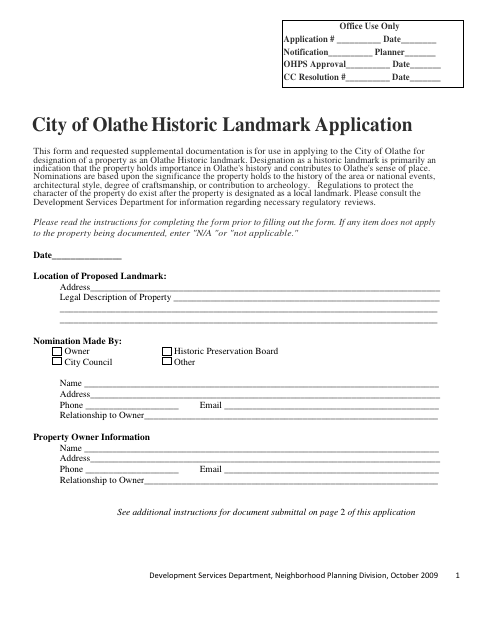
What this form is
Use this application to nominate an Olathe property for local historic landmark designation and provide information about its history, architecture, condition, and significance. The city requires supplemental materials, including an architectural survey, a written Statement of Significance, photographs, a site plan, and the Historic Landmark Agreement; incomplete submittals will not be considered. The application describes review by the Historic Preservation Board, Planning Commission, and governing body.
Who needs it
A property owner, the Historic Preservation Board, City Council, or an owner's agent may submit a nomination with the required supporting documents.
Why it needs a notary
The Historic Landmark Agreement includes a subscribed-and-sworn jurat; the property owner signing the agreement must sign and swear to it before the notary.
How to get this notarized
- 1
Download The Application
Get the Historic Landmark Application and review the instructions and supplemental-document requirements.
- 2
Complete The Forms
Fill in the nomination and architectural survey, prepare the supporting materials, and have the property owner complete the Historic Landmark Agreement.
- 3
Book An Online Notary
Arrange an online notarization for the property owner's agreement signature.
- 4
Sign On Video
The owner signs and swears to the agreement before the commissioned online notary during the video session.
- 5
Submit To The City
Send the completed application and required supplemental documents to Development Services at Olathe City Hall.
Preview the form
The blank PDF straight from Olathe. Look it over, then upload your filled copy to start the notary session.

You’ll need ID and a webcam.
A licensed online notary will join you on video, verify your government-issued ID, witness your signature, and apply their seal. You’ll receive the notarized PDF by email when the session ends.
Frequently asked questions
- How do I submit the Historic Landmark Application?
- Complete the application and submit it with the required supplemental documents to Development Services at Olathe City Hall. The form says incomplete submittals will not be considered.
- Do I need to notarize the entire application?
- The Historic Landmark Agreement on page 5 includes a subscribed-and-sworn jurat for the property owner's signature. The form does not identify the other application pages as requiring notarization.
- Can I sign the agreement with a commissioned online notary?
- Kansas law authorizes remote notarization by a commissioned online notary, and Kansas recognizes certain notarial acts performed by an authorized officer of another state. Confirm the city's submission requirements if unsure.
- What documents accompany the nomination?
- The form calls for an architectural survey, Historic Landmark Agreement, Statement of Significance, bibliography and supporting documents, photographs of the landmark, and a site plan.