
Phillipsburg, KS · Phillips County
Corporate Cereal Malt Beverage License Application
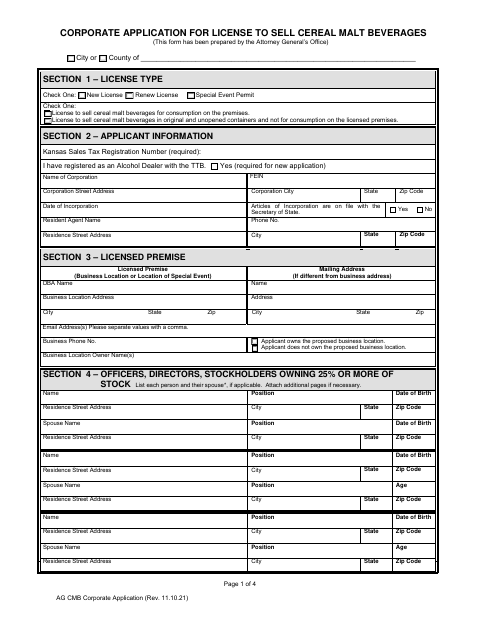
This four-page application lets a corporation apply to a city or county for a new or renewed cereal malt beverage license or a special event permit, with details about its officers and licensed premises.
- licensed online notary
- ~15 min average
- Notarized PDF emailed
What you’ll need
- Government-issued photo ID
- Webcam-enabled device (laptop or phone)
- This form, ready to upload as a PDF
What this form is
The application collects corporate, business-location, officer, stockholder, and manager information, along with answers about applicant qualifications and a drawing of the area to be licensed. It is for corporations seeking a new or renewed license to sell cereal malt beverages, or a special event permit. The form includes a declaration under penalty of perjury and a signature line; the city or county office completes the license review and approval sections.
Who needs it
A corporation applying to the City of Phillipsburg for a new or renewed cereal malt beverage license or a special event permit needs to complete this application.
Why it needs a notary
The form carries a state-law jurat for the applicant’s declaration under penalty of perjury; the corporation’s authorized representative signs the declaration before the notary.
How to get this notarized
- 1
Download the Application
Get the Corporate Cereal Malt Beverage License Application from the City of Phillipsburg.
- 2
Complete the Form
Select the application and license type, fill in the required corporate and premises details, and answer the qualifications questions.
- 3
Book an Online Notary
Arrange a remote session with a commissioned online notary for the applicant’s declaration.
- 4
Sign on Video
Show identification and sign the declaration during the online notary session.
- 5
Submit to the City
Submit the completed application and any required attachments or fees to the City of Phillipsburg.
Preview the form
The blank PDF straight from Phillipsburg. Look it over, then upload your filled copy to start the notary session.

You’ll need ID and a webcam.
A licensed online notary will join you on video, verify your government-issued ID, witness your signature, and apply their seal. You’ll receive the notarized PDF by email when the session ends.
Frequently asked questions
- How do I complete the corporate license application?
- Choose the license type, provide the corporation and licensed-premise details, list required officers and stockholders, answer the qualifications questions, and include a premises drawing or check the attachment box.
- Do I need to sign this application before a notary?
- The application includes a declaration under penalty of perjury and a notary jurat. The authorized corporate representative should sign the declaration before a commissioned online notary.
- Can I sign the application with a commissioned online notary?
- Kansas law authorizes remote notarization by Kansas notaries under K.S.A. 53-5a15, and K.S.A. 53-5a11 recognizes acts by authorized out-of-state notaries. Confirm the city’s submission requirements if unsure.
- What should I include with the application?
- Complete the applicable sections, provide the required business and applicant information, and draw the proposed licensed area including entrances, exits, and storage areas, or attach a drawing as the form directs.