
Wakefield, MA · Middlesex County
Separation from Employment Withdrawal Request
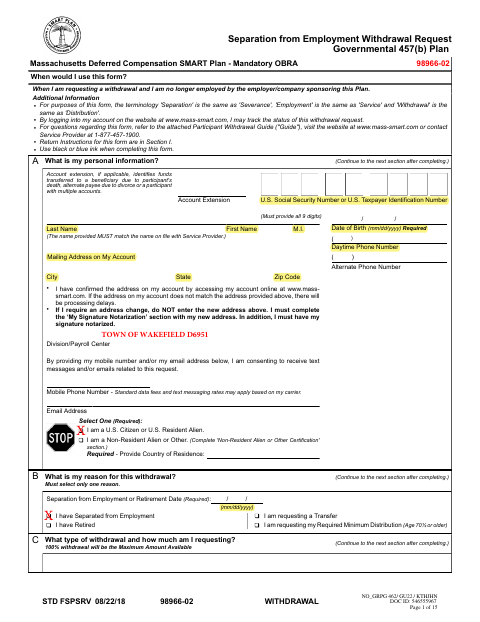
This 15-page withdrawal request is for participants in the Massachusetts Deferred Compensation SMART Plan who are no longer employed by the employer sponsoring their plan and want to request a distribution.
- licensed online notary
- ~15 min average
- Notarized PDF emailed
What you’ll need
- Government-issued photo ID
- Webcam-enabled device (laptop or phone)
- This form, ready to upload as a PDF
What this form is
The form lets eligible participants request a withdrawal after separating from employment or retiring, and choose how much to withdraw and how proceeds should be delivered. The form says a notary is required for certain payment methods or a change of address; otherwise, notarization may not be needed. After obtaining the required signatures, participants can upload, fax, or mail the form to Empower Retirement using the instructions provided.
Who needs it
A former employee or retiree in the Massachusetts Deferred Compensation SMART Plan may use this form to request a withdrawal, subject to plan eligibility.
Why it needs a notary
The form includes a subscribed-and-sworn jurat; the participant signs before the notary when notarization is required for the selected payment method or an address change.
How to get this notarized
- 1
Download The Withdrawal Request
Get the Separation from Employment Withdrawal Request and review its instructions and attached guide.
- 2
Complete The Form
Fill in the applicable sections, select your withdrawal and delivery options, and attach any required documents.
- 3
Book An Online Notary
If your request requires notarization, arrange a session with a commissioned online notary.
- 4
Sign During The Video Session
Sign the form by hand during the notarization session so the notary can complete the jurat; use the same date for both signatures.
- 5
Submit To Empower Retirement
After all required signatures are obtained, upload, fax, or mail the form to Empower Retirement using the instructions on the form.
Preview the form
The blank PDF straight from Wakefield. Look it over, then upload your filled copy to start the notary session.

You’ll need ID and a webcam.
A licensed online notary will join you on video, verify your government-issued ID, witness your signature, and apply their seal. You’ll receive the notarized PDF by email when the session ends.
Frequently asked questions
- When does this withdrawal request need notarization?
- The form requires notarization for a new ACH deposit, a wire transfer, an existing ACH established less than 15 days ago, or a change of address. Other requests may not require it.
- How do I sign this form with a commissioned online notary?
- Massachusetts permanently authorizes its notaries to perform remote online notarizations. If this form requires notarization, book a commissioned online notary, sign during the video session, and ensure the notary completes the jurat.
- Do I need to send this form to the city or town clerk?
- No. The form directs participants to upload it through their account, fax it, or mail it to Empower Retirement using the listed instructions. Confirm with the city or town clerk if unsure about a separate municipal filing.
- Can I use an electronic signature?
- No. The form states that a handwritten signature is required and an electronic signature will not be accepted.