
Princeton, MA · Worcester County
Disposal Works Installer’s Permit Application
Princeton’s Disposal Works Installer’s Permit Application is for contractors and businesses seeking an annual permit to construct, alter, install, or repair individual sewage disposal systems.
- licensed online notary
- ~15 min average
- Notarized PDF emailed
What you’ll need
- Government-issued photo ID
- Webcam-enabled device (laptop or phone)
- This form, ready to upload as a PDF
What this form is
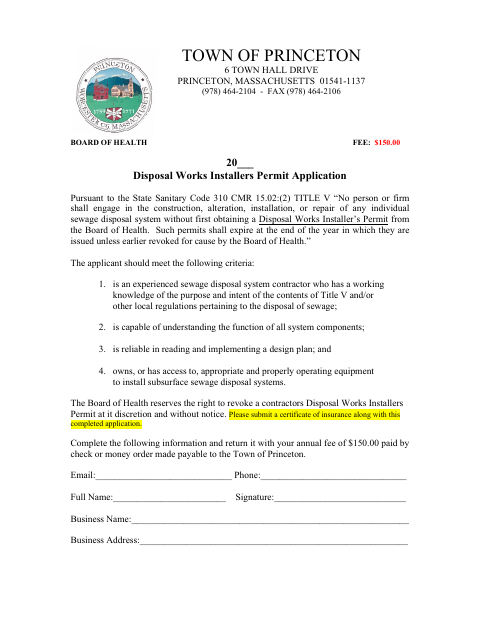
The application collects applicant and business details for a Disposal Works Installer’s Permit from the Princeton Board of Health. Applicants are asked to pay the annual $150 fee and submit a certificate of insurance. The accompanying workers’ compensation certificate requires proof of coverage or, in specified circumstances, a signed and notarized statement claiming an exemption. The form states that permits expire at year-end unless revoked earlier.
Who needs it
Sewage disposal system contractors or businesses seeking a new or renewed Princeton installer’s permit must complete the application and provide the required fee and insurance documentation.
Why it needs a notary
The workers’ compensation exemption statement contains a jurat; the applicant claiming an exemption signs and swears to it before the notary.
How to get this notarized
- 1
Download the Application
Get the Disposal Works Installer’s Permit Application and workers’ compensation certificate.
- 2
Complete the Form
Enter applicant and business details, select the applicable workers’ compensation option, and gather requested insurance documents.
- 3
Book an Online Notary
If claiming an exemption, arrange an online notarization for the sworn statement.
- 4
Sign on Video
Sign and swear to the exemption statement during the online notary session.
- 5
Submit to the Town
Send the completed application, required documentation, and $150 fee to the Town of Princeton as directed on the form.
Preview the form
The blank PDF straight from Princeton. Look it over, then upload your filled copy to start the notary session.

You’ll need ID and a webcam.
A licensed online notary will join you on video, verify your government-issued ID, witness your signature, and apply their seal. You’ll receive the notarized PDF by email when the session ends.
Frequently asked questions
- How do I notarize the workers’ compensation exemption statement?
- Complete the applicable exemption section, then sign and swear to the statement before a commissioned online notary. Submit it with the application and required supporting documents.
- Do I need a notarized statement for this application?
- Only if you claim one of the form’s workers’ compensation insurance exemptions. The form requires the exemption statement to be signed before a Notary Public.
- Can I use online notarization for this form?
- Massachusetts permanently authorized remote online notarization for its own notaries effective January 1, 2024, under G.L. c. 222, §§27–29. Confirm the city or town clerk’s submission requirements if unsure.
- What should I submit with the application?
- The form requests the $150 annual fee and a certificate of insurance. It also describes acceptable workers’ compensation coverage evidence or, when an exemption applies, a notarized sworn statement.