
Iron River, MI · Iron County
Sign Permit
Businesses and sign owners use this permit form to provide sign details and request city approval for a proposed sign.
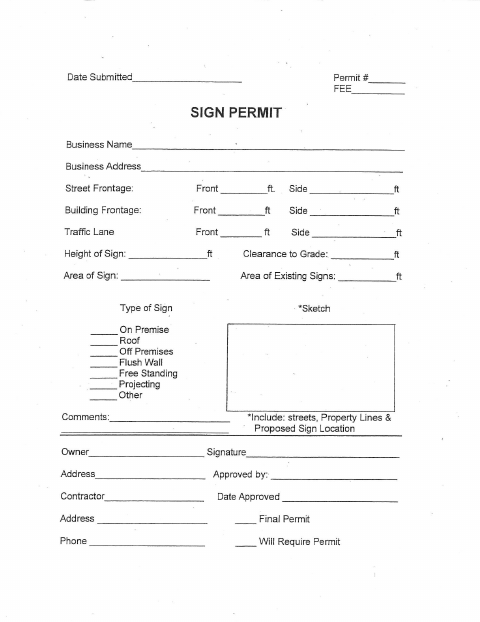
What this form is
The Sign Permit form records the business name and address, sign dimensions, type, location, and owner signature. It also provides spaces for city approval, contractor details, and final permit information. The form does not state when a permit is required or provide a submission address, fee, or filing instructions.
Who needs it
A business or sign owner proposing a sign can use this form to provide sign information and request city approval.
How to submit it
Submit it to the city department named on the form; check the city website for current contact details.
About notarization
This sign permit document is signed without a notary; the owner signs and dates it, and no notarized or sworn attachment is listed.
How to submit this form
- 1
Download The Permit
Download the Sign Permit PDF.
- 2
Complete The Form
Enter the business, address, sign dimensions, sign type, and other requested details.
- 3
Add A Sign Sketch
Include a sketch showing streets, property lines, and the proposed sign location.
- 4
Sign And Submit
The owner signs and dates the form, then submits it to the city department named on the form.
Frequently asked questions
- What information does the Sign Permit form request?
- It asks for business and address details, sign frontage, height, clearance, area, sign type, a sketch, comments, and owner signature.
- Do I need a notary for the Sign Permit?
- No. The owner signs and dates this document without a notary. The form does not list a notarized or sworn attachment.
- How do I submit the Sign Permit?
- Submit it to the city department named on the form; check the city website for current contact details.
Need something notarized?
This Sign Permit doesn’t need a notary — but Michigan residents can notarize other documents online with a commissioned online notary.