
Northfield, NJ · Atlantic County
Indemnification, Hold Harmless and Contractor’s Liability Insurance Agreement
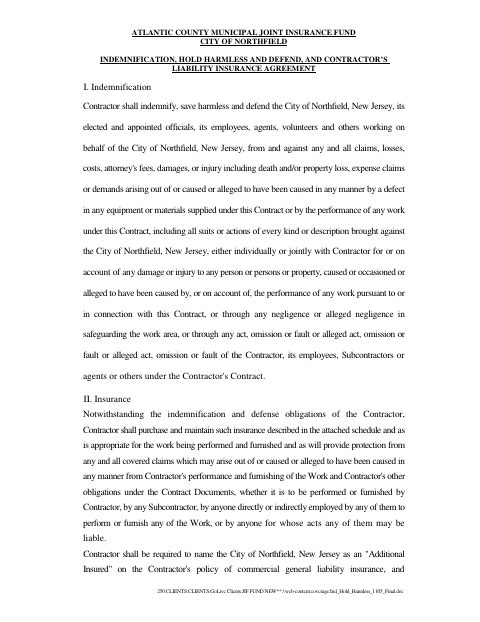
This agreement sets out a contractor’s indemnification, defense, and insurance obligations to the City of Northfield, and is completed by contractors providing work or services under a city contract.
- licensed online notary
- ~15 min average
- Notarized PDF emailed
What you’ll need
- Government-issued photo ID
- Webcam-enabled device (laptop or phone)
- This form, ready to upload as a PDF
What this form is
The agreement requires the contractor to protect and defend the City and specified people against certain claims connected with the contract work. It also describes insurance the contractor must obtain, including liability coverage, and requires the City to be named as an additional insured where specified. Contractors complete the agreement with their identifying information and signature, and provide it with the executed contract documents as required by the City.
Who needs it
A contractor entering a City of Northfield contract for work or services should complete this agreement and provide the insurance evidence it requires.
Why it needs a notary
The form carries a jurat-style notary block with space for a commission expiration and seal; the contractor’s signer signs before the notary.
How to get this notarized
- 1
Download The Agreement
Download the City of Northfield Indemnification, Hold Harmless and Contractor’s Liability Insurance Agreement.
- 2
Complete The Form
Enter the contractor’s identifying details and review the agreement’s indemnification and insurance requirements.
- 3
Book An Online Notary
Arrange an online notarization session with a commissioned online notary.
- 4
Sign On Video
Sign before the notary during the video session and complete the notary block.
- 5
Submit To The City
Provide the notarized agreement and required insurance certificate with the executed contract documents as directed by the City.
Preview the form
The blank PDF straight from Northfield. Look it over, then upload your filled copy to start the notary session.

You’ll need ID and a webcam.
A licensed online notary will join you on video, verify your government-issued ID, witness your signature, and apply their seal. You’ll receive the notarized PDF by email when the session ends.
Frequently asked questions
- How do I notarize this contractor agreement online?
- Complete the agreement, then book a session with a commissioned online notary. Sign during the video session as directed, and submit the notarized agreement with your executed contract documents.
- Do I need to provide insurance proof with this agreement?
- The agreement requires proof of specified insurance, including a certificate identifying the City as an additional insured where required. It says to provide the certificate with the executed contract documents.
- Can I sign this agreement with a remote online notary?
- New Jersey has permanently authorized remote online notarization and remote ink notarization for its own notaries since October 2021 (P.L. 2021, c.179, N.J.S.A. 52:7-10.9 et seq.). Confirm with the municipality if unsure.
- Who signs the agreement?
- The contractor’s signer completes the name, title, address, contact, and signature fields. The form also provides a notary block, commission-expiration field, and seal space.