
Bayonne, NJ · Hudson County
Application for Development
This six-page application requests development, site plan, subdivision, permit, or variance approval and is filed by a property owner or authorized applicant with the City of Bayonne.
- licensed online notary
- ~15 min average
- Notarized PDF emailed
What you’ll need
- Government-issued photo ID
- Webcam-enabled device (laptop or phone)
- This form, ready to upload as a PDF
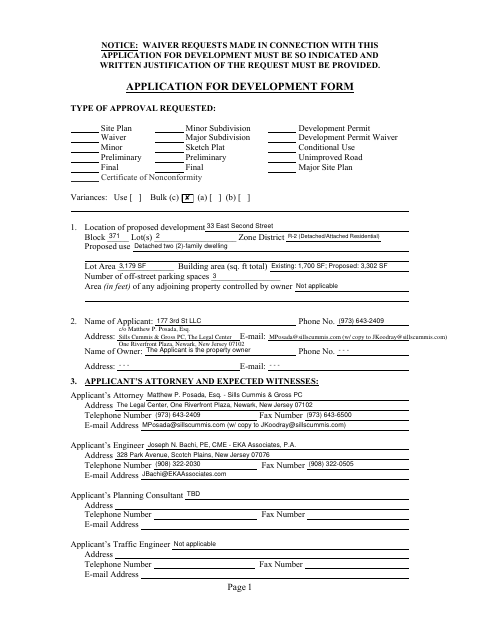
What this form is
Use this form to describe the property, proposed development, requested approvals or variances, and supporting professionals and witnesses. Bayonne requires applicants to submit it for development review; supporting materials may include a statement, public-hearing notice, property information, and other documents. The form also includes certifications for the applicant and property owner, and asks for notarized signatures.
Who needs it
A property owner or authorized applicant seeking development, site plan, subdivision, permit, or variance approval in Bayonne should complete and file this application.
Why it needs a notary
The form carries sworn-and-subscribed jurat blocks in its certifications; the applicant and property owner sign their respective certifications before the notary.
How to get this notarized
- 1
Download the Application
Get the City of Bayonne Application for Development and review its requested approvals and certification pages.
- 2
Complete the Form
Enter the property, applicant, owner, development, and approval details, and prepare the supporting materials the form requests.
- 3
Book an Online Notary
Schedule a session with a commissioned online notary for the applicant and property owner certification signatures.
- 4
Sign on Video
The applicant and property owner sign their certifications during the notarial session, and the notary completes the jurat blocks.
- 5
Submit to the City
Send the notarized application and supporting materials to the City of Bayonne as directed.
Preview the form
The blank PDF straight from Bayonne. Look it over, then upload your filled copy to start the notary session.

You’ll need ID and a webcam.
A licensed online notary will join you on video, verify your government-issued ID, witness your signature, and apply their seal. You’ll receive the notarized PDF by email when the session ends.
Frequently asked questions
- How do I get the application’s certifications notarized online?
- Complete the form, then book a session with a commissioned online notary. The applicant and property owner sign their certifications during the video session, and the notary completes the jurat blocks.
- Do I need to notarize both certification signatures?
- The form includes separate sworn-and-subscribed blocks for the applicant and property owner. Each person signing a certification should appear before the notary for that signature.
- Can I use remote notarization for this Bayonne form?
- New Jersey has permanently authorized its notaries to perform remote online notarization and remote ink notarization since October 2021. An authorized officer’s notarial act performed in another state has the same effect under N.J.S.A. 52:7-10.14.
- What supporting materials does the application request?
- The form requests a detailed statement about the application and proposed changes, a draft public-hearing notice, and related property and approval information. It also says to attach additional sheets where needed.
- Where do I submit the completed application?
- Submit the application and supporting materials to the City of Bayonne as directed by the municipality. Requirements can vary with the requested approval; confirm with the municipality if unsure.
Application for Development in other New Jersey cities
Each city publishes its own version of this form. Pick the city where you’re filing.