
Berkeley Township, NJ · Ocean County
Police Department Towing License Application
This application requests a Berkeley Township Police Department towing license and is filed by a towing business applicant seeking approval to provide towing services.
- licensed online notary
- ~15 min average
- Notarized PDF emailed
What you’ll need
- Government-issued photo ID
- Webcam-enabled device (laptop or phone)
- This form, ready to upload as a PDF
What this form is
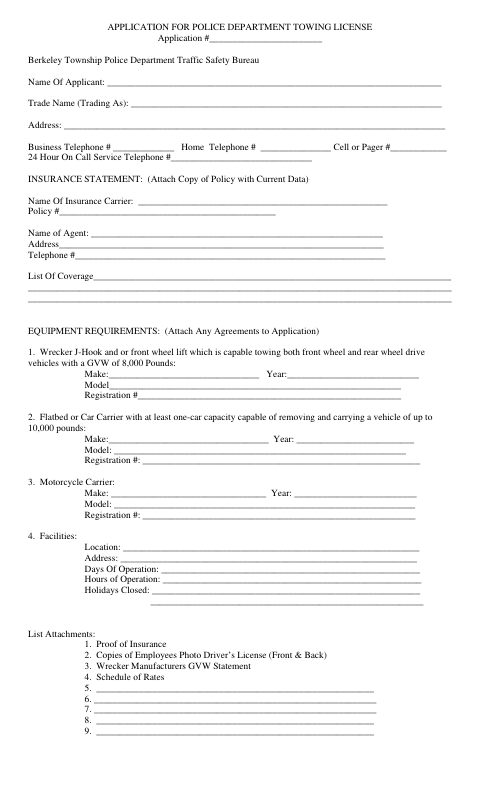
The application collects the business’s contact and insurance information, towing equipment and facility details, driver information, and required supporting documents. The applicant declares that the statements are true and agrees to follow the standards in Revised Ordinance #122; the township uses the form to inspect equipment and facilities, review the application, and issue or deny a license.
Who needs it
A towing business representative seeking a Berkeley Township Police Department towing license must complete this application and provide the listed insurance, driver, equipment, and rate information.
Why it needs a notary
The form has a sworn-and-subscribed jurat stating it was sworn and subscribed before a notary; the applicant signs the declaration before the notary.
How to get this notarized
- 1
Download The Application
Get the Berkeley Township Police Department towing license application.
- 2
Fill In The Business Details
Complete the applicant, insurance, equipment, facility, driver, and attachment sections.
- 3
Book An Online Notary
Arrange a remote appointment with a commissioned online notary for the sworn declaration.
- 4
Sign On Video
Sign the declaration during the online notary session and complete the jurat.
- 5
Submit It To The Township
Send the notarized application and listed supporting documents to the township as directed.
Preview the form
The blank PDF straight from Berkeley Township. Look it over, then upload your filled copy to start the notary session.

You’ll need ID and a webcam.
A licensed online notary will join you on video, verify your government-issued ID, witness your signature, and apply their seal. You’ll receive the notarized PDF by email when the session ends.
Frequently asked questions
- How do I complete the notarized section?
- Fill in the application, but wait to sign the declaration until you meet with the notary. The form’s jurat says it must be sworn and subscribed before the notary.
- Do I need to attach supporting documents?
- Yes. The form lists proof of insurance, employee photo driver’s license copies, a wrecker manufacturer’s GVW statement, and a schedule of rates. It also provides space to list additional attachments.
- Can I use an online notary for this application?
- New Jersey permanently authorizes remote online notarization and remote ink notarization for its own notaries. An authorized officer performing a notarial act in another state has the same effect under N.J.S.A. 52:7-10.14. Use a commissioned online notary and confirm acceptance with the township if unsure.
- What happens after I submit the application?
- The form includes sections for municipal equipment and facility inspection, license approval or denial, fees, and license dates. Contact the township about how to submit the application and supporting materials.