
Long Beach Township, NJ · Ocean County
Wireless Applicant Indemnification Agreement
This agreement sets out a wireless applicant’s indemnification obligations to Long Beach Township and is signed by an authorized applicant representative for the Township’s wireless application.
- licensed online notary
- ~15 min average
- Notarized PDF emailed
What you’ll need
- Government-issued photo ID
- Webcam-enabled device (laptop or phone)
- This form, ready to upload as a PDF
What this form is
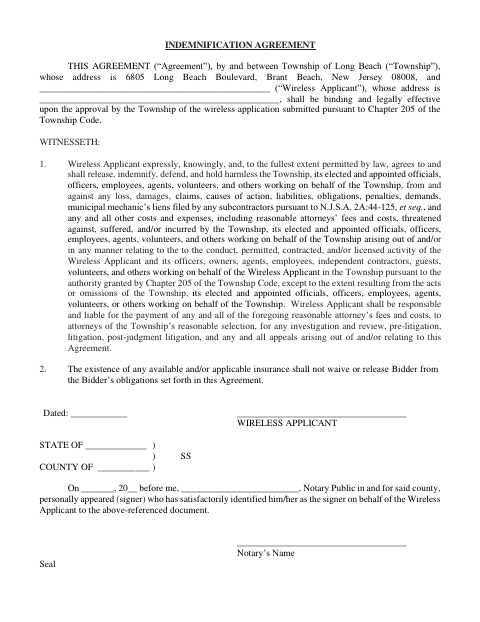
The agreement identifies the Township and Wireless Applicant, then describes the applicant’s responsibility to release, indemnify, defend, and hold the Township and related people harmless for specified claims and costs connected with the applicant’s activity. It states that the agreement becomes binding and legally effective upon Township approval of the wireless application submitted under Chapter 205 of the Township Code. The applicant’s signer completes the dated signature and notarial section.
Who needs it
A Wireless Applicant submitting an application under Chapter 205 of the Township Code needs an authorized representative to sign this agreement for the applicant.
Why it needs a notary
The form carries a personal-appearance and signer-identification notarial block; the Wireless Applicant’s representative appears and signs before the notary.
How to get this notarized
- 1
Download The Agreement
Download the Wireless Applicant Indemnification Agreement from the Township.
- 2
Fill In Applicant Details
Complete the Wireless Applicant’s name and address, date, and any other applicable information; leave the notarial section for the appointment.
- 3
Book An Online Notary
Arrange an appointment with a commissioned online notary and check with the Township if you are unsure whether it accepts remote notarization.
- 4
Sign On Video
Have the Wireless Applicant’s representative appear before the notary, establish identity, and sign as directed.
- 5
Submit To The Township
Submit the completed agreement with the wireless application as directed by Long Beach Township.
Preview the form
The blank PDF straight from Long Beach Township. Look it over, then upload your filled copy to start the notary session.

You’ll need ID and a webcam.
A licensed online notary will join you on video, verify your government-issued ID, witness your signature, and apply their seal. You’ll receive the notarized PDF by email when the session ends.
Frequently asked questions
- How do I complete the wireless indemnification agreement?
- Identify the Wireless Applicant, complete its address and date, and have its representative sign in front of a notary. Submit the completed agreement with the wireless application as directed by the Township.
- Do I need to sign this agreement before a notary?
- Yes. The form includes a notarial section for the Wireless Applicant’s signer, who must personally appear and be identified by the notary.
- Can I use an online notary for this form?
- New Jersey permanently authorized remote online notarization and remote ink notarization for its own notaries in October 2021 (P.L. 2021, c.179, N.J.S.A. 52:7-10.9 et seq.). Confirm with the municipality if unsure whether it will accept a remotely notarized form.
- When does the agreement become effective?
- The form states that the agreement becomes binding and legally effective upon Township approval of the wireless application submitted under Chapter 205 of the Township Code.