
Lovington, NM · Lea County
Community Service Waiver of Liability
This waiver records a Community Service Program volunteer’s acceptance of injury risks and release of claims; community service workers complete it for the City of Lovington.
- licensed online notary
- ~15 min average
- Notarized PDF emailed
What you’ll need
- Government-issued photo ID
- Webcam-enabled device (laptop or phone)
- This form, ready to upload as a PDF
What this form is
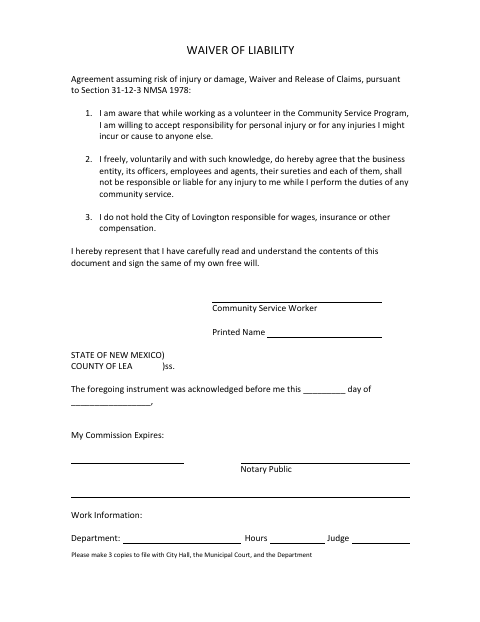
The form documents a volunteer’s acceptance of responsibility for personal injury or injuries they may cause while performing community service, and releases the listed parties from liability for injury to the volunteer. It also states that the City of Lovington is not responsible for wages, insurance, or other compensation. The form cites Section 31-12-3 NMSA 1978 and directs the signer to provide three copies for City Hall, Municipal Court, and the Department.
Who needs it
A Community Service Program volunteer who is asked to accept injury risks and release claims while performing community service for the City of Lovington needs this form.
Why it needs a notary
The form contains an acknowledgment before a notary; the Community Service Worker signs the waiver and acknowledges it before the notary, who completes the notarial block.
How to get this notarized
- 1
Download The Waiver
Download the City of Lovington Community Service Waiver of Liability.
- 2
Fill In The Form
Complete the waiver and its work information fields; do not sign until you meet with the notary.
- 3
Book An Online Notary
Arrange an online notarization with a commissioned online notary.
- 4
Sign On Video
Sign and acknowledge the waiver before the notary during your online session.
- 5
Submit Three Copies
Make three copies and submit them to City Hall, Municipal Court, and the Department as directed by the form.
Preview the form
The blank PDF straight from Lovington. Look it over, then upload your filled copy to start the notary session.

You’ll need ID and a webcam.
A licensed online notary will join you on video, verify your government-issued ID, witness your signature, and apply their seal. You’ll receive the notarized PDF by email when the session ends.
Frequently asked questions
- How do I complete and submit this waiver?
- Complete the waiver, sign before a notary, and make three copies. The form directs copies to City Hall, Municipal Court, and the Department.
- Do I need to sign in front of a notary?
- Yes. The form includes an acknowledgment before a notary, so the Community Service Worker should sign and acknowledge the waiver before the notary.
- Can I use a commissioned online notary?
- New Mexico authorizes remote online notarization for its notarial officers under NMSA 1978 §14-14A-5, effective January 1, 2022. Ask the receiving office if it has additional requirements.
- Where do I file the copies?
- The form says to make three copies for City Hall, Municipal Court, and the Department. Confirm with the city or county clerk if unsure.