
Rockville Centre, NY · Nassau County
Board of Appeals Application
This application requests a Village Board of Appeals review for matters such as area or use variances and special use permits, and is filed by the applicant with the Village of Rockville Centre.
- licensed online notary
- ~15 min average
- Notarized PDF emailed
What you’ll need
- Government-issued photo ID
- Webcam-enabled device (laptop or phone)
- This form, ready to upload as a PDF
What this form is
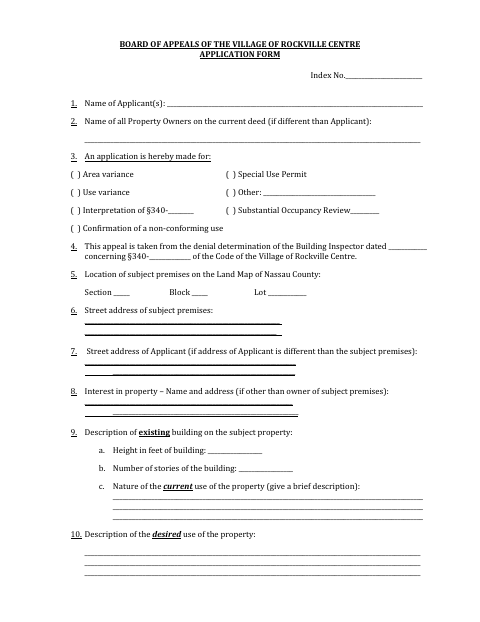
Use this form to describe the property, the requested relief, the Building Inspector’s denial, and the reasons supporting the application. The applicant must provide property and proposed-use details, identify people appearing at the hearing, and attach the supporting documents listed on the form. The owner section must be completed for every application, including the owner’s consent and authorization for site inspection. The village’s procedure instructions say to have the application notarized on the back using names exactly as they appear on the front.
Who needs it
Applicants seeking Board of Appeals review in Rockville Centre, including property owners and other applicants requesting a variance, special use permit, or listed appeal.
Why it needs a notary
The form has sworn-to jurat blocks for the owner and applicant; each person signing the corresponding statement must sign before the notary.
How to get this notarized
- 1
Download the Application
Get the Board of Appeals application from the Village of Rockville Centre.
- 2
Complete the Form
Provide applicant and property details, describe the requested relief, and gather the supporting documents listed on the form.
- 3
Book an Online Notary
Schedule a remote session with a commissioned online notary for the owner and applicant sworn statements.
- 4
Sign on Video
The owner and applicant sign their respective sworn statements during the online notarization session.
- 5
Submit to the Village
Submit the notarized application and required attachments to the Village of Rockville Centre.
Preview the form
The blank PDF straight from Rockville Centre. Look it over, then upload your filled copy to start the notary session.

You’ll need ID and a webcam.
A licensed online notary will join you on video, verify your government-issued ID, witness your signature, and apply their seal. You’ll receive the notarized PDF by email when the session ends.
Frequently asked questions
- How do I notarize the Board of Appeals application online?
- Complete the form, then book a session with a commissioned online notary. The owner and applicant must sign their respective sworn statements during the video session, with names matching the front of the application.
- Do I need to sign the application in front of a notary?
- Yes. The form includes sworn-to blocks for the owner and applicant, and the village’s procedure instructions say the application must be notarized on the back using names exactly as they appear on the front.
- Can a commissioned online notary notarize this form?
- New York authorizes its notaries to perform remote online notarization under Executive Law §135-c, in effect since 2023. Confirm with the city, town or village if unsure whether it will accept your remotely notarized application.
- What documents should accompany the application?
- The form lists comments from affected surrounding property owners, a current building application with a site plan survey, the Building Department decision, an existing-property survey, other required information, and previous relevant board or trustee decisions.
Board of Appeals Application in other Nassau County cities
Each city publishes its own version of this form. Pick the city where you’re filing.